Introduction
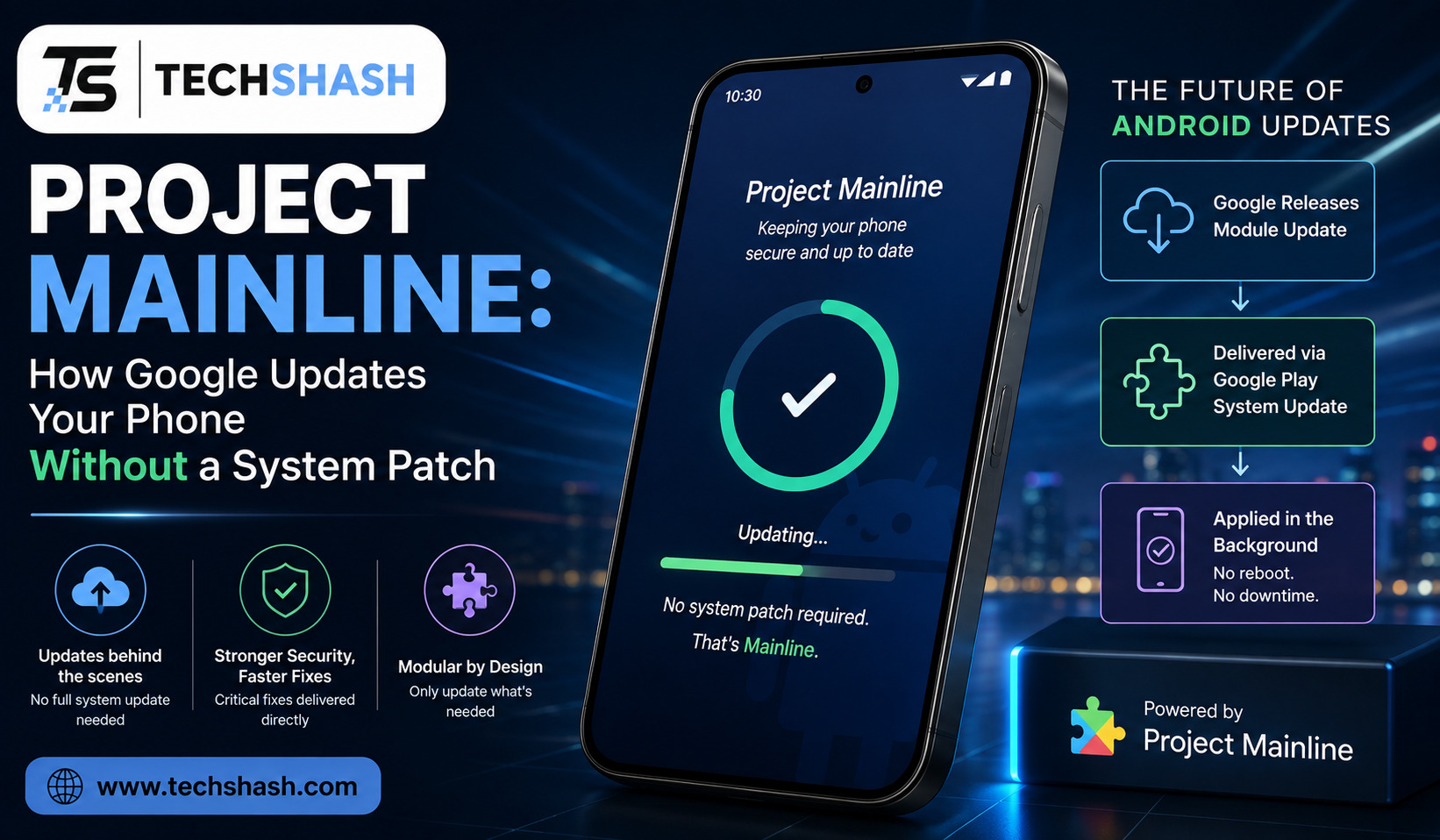
Android phones have historically been slow to get security fixes, often waiting months or years for a manufacturer to bundle a patch into a full system update. Project Mainline is Google’s answer to that problem, and it works by quietly updating pieces of Android through the Play Store, without waiting for a traditional system patch at all.
This article explains how Mainline actually works, what it can and cannot fix, and what it looks like from the perspective of someone just using their phone.
The Problem Mainline Was Built to Solve
For years, the biggest complaint about Android was fragmentation. Google might release a new Android version, but getting that version, or even just a security patch, onto an actual phone depended on a long chain of manufacturers and carriers, each doing their own testing and rollout on their own schedule.
That process typically took anywhere from six to eighteen months for flagship phones, and cheaper devices often received updates much later, or sometimes never. A new Android version could already be released while a manufacturer was still working on shipping the previous one to its existing phones.
Google’s first attempt at fixing this was Project Treble, introduced with Android 8.0 Oreo, which separated the core Android framework from the lower-level code written by chip vendors. Treble made it easier for manufacturers to adopt new Android versions, but it did not solve the narrower, more urgent problem of getting critical security fixes out quickly. That is the gap Project Mainline was built to close.
What Project Mainline Actually Is
Project Mainline arrived with Android 10 in 2019. The core idea is to take specific pieces of the Android operating system and turn them into independent, updatable modules, distributed through Google Play infrastructure in much the same way a normal app update works.
Instead of waiting for a manufacturer to build, test, and release an entire new system image just to patch one vulnerable component, Google can push an update to just that one module directly to eligible phones. Users typically see this show up as a Google Play system update notification, sometimes just labeled Google System Updates, rather than a full Android version bump.
The module count has grown steadily since launch. Android 10 shipped with roughly nine to thirteen Mainline modules depending on how they are counted, and that number has more than doubled by Android 13, with additional modules added in the releases since.
APEX and APK: The Two Delivery Formats
Mainline modules are delivered in one of two formats, and the choice between them comes down to timing. Ordinary Android apps use the familiar APK format, but system components sometimes need to be available extremely early in the phone’s boot process, well before a typical app would ever load.
For those cases, Android 10 introduced a new container format called APEX, short for Android Pony Express. APEX files can bundle native shared libraries, native executables, JAR files, configuration files, and even APKs inside them, giving Google more flexibility for components that need to exist before the rest of the operating system has finished starting up.
Both formats share an important security property. Mainline modules are cryptographically signed by Google, and the system verifies those signatures before applying any update, which is meant to prevent a malicious actor from tampering with a core system component during the update process.
What Mainline Modules Actually Cover
Mainline modules span a fairly wide slice of what makes a phone actually function day to day. Publicly documented modules cover areas including media codecs, network connectivity components like Wi-Fi and Bluetooth, permission handling, and various pieces of Android’s core security and privacy infrastructure.
Media codec updates are a particularly good example of why this modular approach matters. Bugs or fragmentation in how different phones handle video and audio encoding can directly affect app compatibility and cause visible glitches, so being able to patch a codec module across the entire Android ecosystem at once, rather than waiting on each manufacturer separately, has a real, measurable effect on consistency.
Not every module ships on every device, though. Google requires manufacturers to preload most modules listed in its GMS Requirements documentation for a given Android version, but a handful of modules, including some covering Bluetooth, Wi-Fi, and ultra-wideband, are treated as optional depending on the device.
How This Relates to Project Treble
It is easy to conflate Mainline with Project Treble, since both aim at Android’s update problem, but they solve different parts of it. Treble focuses on architecture, separating the Android framework from vendor-specific, chip-level code so that manufacturers can update the framework without needing new code from their chip suppliers every time.
Mainline focuses on delivery. It assumes a phone is already running a given Android version, and gives Google a way to patch specific pieces of that version directly, without needing the manufacturer to build and ship a new system image at all. One reshapes how updates get built; the other reshapes how they get to your phone.
Together, the two projects represent Google’s broader strategy for pulling more of Android’s update process directly under its own control, reducing how much of a phone’s security posture depends on any individual manufacturer’s willingness or ability to keep shipping patches for older devices.
What This Looks Like on Your Phone
In practice, most people encounter Mainline without ever hearing its name. The relevant setting lives under Settings > About Phone > Android Version > Google Play system update, where a device shows the date of its most recent Mainline update alongside the regular monthly security patch date.
These updates generally download automatically in the background, then require a device reboot before they actually install, similar to how a major app update sometimes needs the app to restart. Android Security Bulletins published each month list which Mainline components received fixes for that cycle, often referencing specific vulnerability identifiers tied to the affected module.
Devices running Android 10 or later are generally eligible to receive both the regular monthly security patch and Google Play system updates side by side, meaning a phone can pick up Mainline module fixes even in a month where its manufacturer has not pushed a broader security patch of its own.
The Limits of What Mainline Can Fix
Mainline is not a substitute for a full operating system update, and it was never designed to be one. It patches specific, modularized components, not the deeper vendor-level code, kernel, or hardware drivers that still depend on the manufacturer and chip maker to maintain and update.
Eligibility also depends on Google Mobile Services participation and a manufacturer agreeing to preload the required modules in the first place, meaning devices running heavily customized or non-GMS builds of Android may not receive Mainline updates at all, or may receive a smaller subset of them.
Finally, Mainline reduces Android’s update problem without eliminating it. A phone can still fall behind on full Android version upgrades, kernel-level security patches, or manufacturer-specific fixes even while staying reasonably current on Mainline modules, so the two systems are best understood as complementary layers rather than one replacing the need for the other.
Key Takeaways
- The core idea: Mainline breaks select Android system components into independently updatable modules delivered through Google Play.
- Why it exists: To patch critical components quickly without waiting on manufacturers to ship a full system update.
- Delivery formats: Modules use either the standard APK format or the newer APEX format, chosen based on how early the component needs to load during boot.
- What it touches: Media codecs, connectivity components like Wi-Fi and Bluetooth, permissions, and core security and privacy infrastructure, among other areas.
- How it differs from Treble: Treble restructures Android’s architecture; Mainline changes how updates actually reach a device.
- Its real limits: Mainline cannot patch vendor-level code, kernel components, or hardware drivers, and depends on Google Mobile Services and manufacturer participation.
Frequently Asked Questions
What is Project Mainline in simple terms?
It is Google’s system for updating specific pieces of Android directly through the Play Store, without needing a full operating system update from the phone’s manufacturer.
How do I see when my phone last received a Mainline update?
Check Settings, then About Phone, then Android Version, then Google Play system update, where the most recent update date is listed.
Is Project Mainline the same as Project Treble?
No, Treble restructures how the Android framework separates from vendor-specific code, while Mainline changes how individual system components actually get updated on a device.
Do Mainline updates require restarting the phone?
Yes, Mainline modules typically download automatically in the background but require a device reboot before the update actually installs.
Can Project Mainline fully fix Android’s update problem?
No, it addresses specific modularized components, but full Android version upgrades and vendor-level or kernel patches still depend on the manufacturer.
Conclusion
Project Mainline quietly changed how Android security patches reach real devices, by turning select system components into modules Google can update directly through the Play Store rather than waiting on manufacturers to ship an entire new system image. It has meaningfully reduced how long critical fixes take to reach users since its introduction in Android 10, though it works alongside, not instead of, the traditional update process for everything Mainline does not cover. The next time a phone shows a quiet Google Play system update notification, this is the system responsible, working in the background exactly as it was designed to.