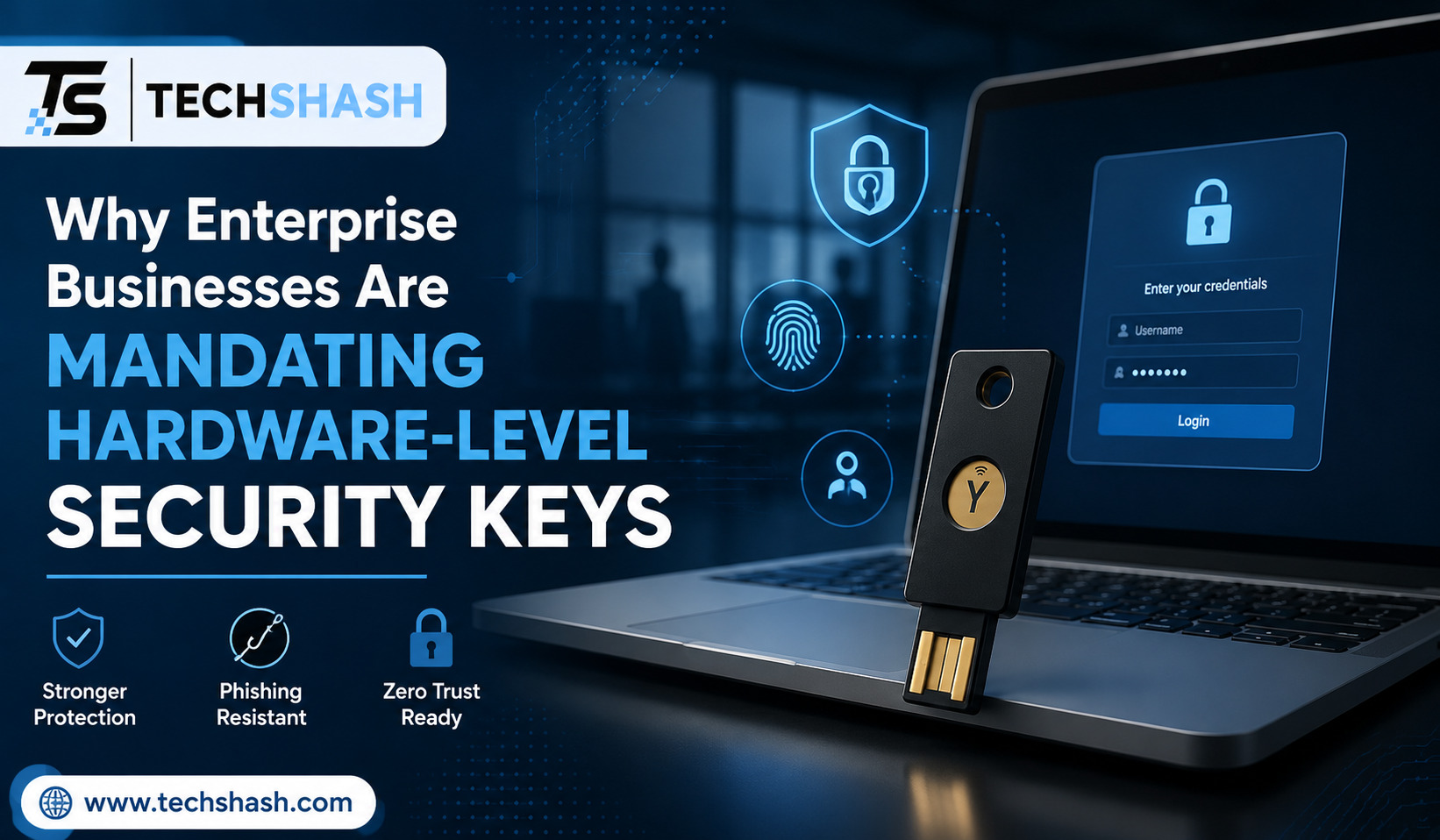
Cybercriminals are defeating traditional software login protections at a rate never seen before. Security teams now recognize that standard multi-factor authentication can no longer protect corporate data on its own. Modern enterprise businesses are mandating hardware-level security keys to replace outdated identity tools across their workforces.
Password leaks and phishing campaigns continue to expose critical enterprise systems daily. Traditional verification tools like text messages and phone notifications are failing under modern threat conditions. This comprehensive article explains why top organizations are shifting to physical authenticators, how the underlying technology works, and what benefits this change brings to corporate defense strategies.
1. The Critical Failure of Legacy MFA Methods
For years, companies relied on simple two-step login checks. Employees typed in a password and then entered a code received by text message or email. Many organizations also adopted smartphone applications that send push notifications for approval.
These older systems seemed safe for a long time. However, organized criminal groups quickly found clever ways to bypass them.
Attackers now build fake login portals that mirror real company sign-in screens. When an employee types their login details and code into the fake portal, the attacker captures the information instantly. The attacker then uses those live credentials to log into the genuine company application.
These automated intercepts are known as adversary-in-the-middle attacks because they sit directly between the user and the real server.
Additionally, hackers use repeated push notifications to trick employees. They flood an employee’s phone with dozens of login approval prompts late at night.
Eventually, the exhausted employee taps the accept button just to stop the noise. Cybercriminals also call mobile phone carriers and trick representatives into transferring phone numbers to new SIM cards. Once the attacker controls the phone number, they receive all text verification codes intended for the victim.
The Rise of Automated Phishing Tools
Building a convincing fake login page used to require technical skill. Today, automated toolkits permit almost anyone to launch an effective phishing campaign within minutes. These ready-made kits handle session tokens and reverse proxies automatically.
Exhaustion and Human Error
Security policies that rely on human decisions remain inherently fragile. Employees who are busy, tired, or distracted will occasionally approve a fake prompt. Expecting thousands of workers to spot every fake web address is not a reliable security plan.
2. How Hardware-Level Security Keys Defeat Cyber Attacks
Physical security tokens change the fundamentals of authentication. A security key is a compact physical device that plugs into a computer USB port or connects through near-field communication.
Instead of asking the user to read or approve a code, the physical key communicates directly with the web browser. The computer user must physically touch the key to complete the login process.
The main strength of this approach lies in website verification. The security key checks the precise domain name of the website requesting access. If an employee visits a fake login site, the key recognizes that the web address does not match the true destination.
Because of this built-in check, origin binding prevents session hijacking even if the employee believes the fake page is real. The key simply refuses to provide a login response to an unrecognized domain.
This physical interaction creates an unbeatable boundary against remote attackers. An attacker sitting on the other side of the world cannot physically press the button on an employee’s desk.
Eliminating the Human Decision Factor
With hardware tokens, employees no longer need to analyze web addresses for subtle spelling errors. The hardware device carries out that cryptographic verification automatically every single time. This removes the risk of human error during the sign-in process.
Physical Proof of Presence
The requirement for a physical touch prevents malware from silently using the key in the background. Even if malicious software infects a computer, it cannot trigger the physical key without a human hand touching the metal contact point.
3. Cryptographic Proof and the Power of FIDO2 Protocols
Hardware security tokens operate on open standards developed by the FIDO Alliance and the World Wide Web Consortium. These standards are known as FIDO2 and WebAuthn.
When an employee registers a new security key with a corporate system, a unique key pair is generated. The public key goes to the corporate server, while the private key remains inside the secure chip of the physical device.
During each login, the server sends a digital challenge to the browser. The security key signs this challenge using its internal private key and sends the result back to the server. The server verifies the signature using the stored public key.
Crucially, private keys never leave the device under any circumstances. They cannot be copied, exported, or extracted by software.
This architecture relies entirely on asymmetric public-key cryptography rather than shared passwords or shared secret codes. Without the matching physical key, an attacker cannot generate a valid mathematical response.
How WebAuthn Secures the Channel
WebAuthn acts as the standard browser bridge for hardware tokens. It gathers the domain identity directly from the browser context rather than trusting user input. This ensures that the cryptographic signature is tied exclusively to the genuine domain name.
Protection Against Device Extraction
The hardware chips inside enterprise security keys are built to withstand physical tampering. Specialized hardware shields protect the key against direct electronic probing and side-channel analysis.
| Authentication Method | Resists Phishing? | Resists SIM Swapping? | Resists Push Fatigue? |
| SMS One-Time Passcodes | No | No | Yes |
| Mobile Authenticator App (TOTP) | No | Yes | Yes |
| Mobile Push Notifications | No | Yes | No |
| Hardware Security Keys (FIDO2) | Yes | Yes | Yes |
4. Government Mandates and Evolving Regulatory Compliance
Regulatory bodies across the world have recognized that legacy multi-factor systems are no longer adequate for sensitive environments. Governments are now forcing critical industries to adopt stronger protections.
In the United States, the federal government issued Memorandum M-22-09, which mandates phishing-resistant authentication for all federal agencies. The Cybersecurity and Infrastructure Security Agency explicitly names FIDO2 hardware devices as the gold standard for access control.
Furthermore, national standards guidelines now categorize authentication systems into strict levels of assurance. The highest standard, known as NIST Authenticator Assurance Level 3, mandates the use of hardware-backed, phishing-resistant tokens.
International regulations are following the exact same path. European Union rules like the Digital Operational Resilience Act and the NIS2 directive require financial and critical infrastructure entities to enforce high-assurance access controls.
Insurance companies are also driving this transition. Cyber insurance providers routinely deny coverage or raise premiums for companies that still rely solely on phone-based authentication methods.
Federal Timelines and Directives
Government agencies and defense contractors face firm deadlines to eliminate weak authentication mechanisms. SMS codes and basic push apps are being systematically removed from authorized access paths across regulated sectors.
Impact on Cyber Insurance Costs
Insurance providers calculate policy pricing based on verifiable threat prevention. Demonstrating a full deployment of physical security keys frequently qualifies an enterprise for lower deductible rates and better coverage terms.
5. Cost Reduction and Operational Efficiency for IT Departments
While purchasing physical hardware requires an initial budget investment, it routinely saves money over time. Password issues and account lockouts represent a huge portion of enterprise support desk workloads.
When companies transition to security keys, employees no longer need to reset expired passwords every few months. The reliance on complex text passwords drops significantly when hardware credentials handle identity verification.
As a direct result, helpdesk support tickets drop significantly within the first few months of a deployment. Support staff spend far less time unlocking accounts and resetting credentials.
Furthermore, the financial impact of a single data breach far outweighs the cost of buying physical keys for every employee. A breach can lead to regulatory fines, legal costs, lost business, and reputational damage.
Hardware keys also last for years without needing batteries or network connections. Their physical durability makes them a long-term investment that reduces annual software subscription fees for third-party mobile authentication tools.
Support Ticket Reduction
Enterprise IT teams report that password-related support calls drop by more than half after deploying hardware security tokens. This allows technical teams to focus on strategic projects rather than routine credential resets.
Long Device Lifespan
Unlike smartphones that require regular operating system updates and battery replacements, dedicated security keys have no internal batteries or moving parts. They remain fully operational for many years with minimal maintenance.
6. Enterprise Strategies for Deploying Hardware Security Keys
Rolling out hardware devices across a workforce of thousands requires thoughtful planning. Organizations must establish clear distribution, registration, and account recovery procedures before handing out keys.
The first step involves identifying high-value targets within the organization. System administrators, finance staff, and executives hold the highest privileges and should receive hardware security keys before other teams.
Companies must also address lost devices from day one. Best practice dictates issuing two keys to every employee during initial onboarding. One key serves as the primary daily token, while the second key stays locked in a safe location as an emergency spare.
Enforcing strict policy rules inside the central identity provider completes the setup. Once the deployment phase finishes, the IT team must disable weaker login options so that attackers cannot force a fallback to SMS or push notifications.
Using modern hardware-level security keys transforms identity verification from a vulnerability into an enterprise strength.
Managing Account Recovery
If an employee loses their primary device, they must have a secure way to regain access without creating new security holes. Registering a secondary backup keys ensure continuity without requiring helpdesk intervention or weak emergency bypass codes.
Disabling Legacy Fallback Options
An authentication policy is only as strong as its weakest option. IT administrators must explicitly block outdated methods like SMS text messages once hardware tokens are fully distributed across the organization.
Key Takeaways
- Defeats Phishing Attacks: Physical keys check website origin domains automatically, preventing credential theft on fake websites.
- Eliminates Human Error: Employees do not need to evaluate complex web addresses or approve confusing phone prompts.
- Cryptographic Strength: Private keys are stored safely inside physical chips and never leave the hardware device.
- Regulatory Alignment: Government mandates and cyber insurance providers increasingly require phishing-resistant hardware authenticators.
- Lowers IT Costs: Physical tokens reduce password resets, cut helpdesk workloads, and prevent costly corporate data breaches.
FAQs
What happens if an employee loses their physical security key?
The lost key can be instantly revoked in the central identity console while the employee uses their pre-registered secondary backup key to log in.
Are physical security keys compatible with mobile devices?
Yes, modern security keys include near-field communication chips and Lightning or USB-C connectors to work with mobile phones and tablets.
Why are authenticator apps not considered fully phishing-resistant?
Authenticator apps generate time-based codes or push prompts that can still be intercepted or proxied by advanced real-time phishing websites.
How long do hardware security keys typically last?
Because hardware security keys contain no batteries or moving parts, they generally last for many years under normal workplace conditions.
Can a hacker clone a hardware security key?
No, the cryptographic private key is stored inside a tamper-resistant security chip that prevents extraction or copying.
Conclusion
Enterprise organizations can no longer afford to rely on outdated authentication systems that fall prey to simple phishing campaigns. Shifting to hardware-level security keys provides a proven, cryptographic barrier against modern account takeover attempts. By replacing vulnerable codes and push notifications with physical tokens, businesses protect their data, satisfy strict compliance mandates, and lower operational IT costs. Adopting physical keys provides the definitive defense needed to secure corporate identities today and into the future.