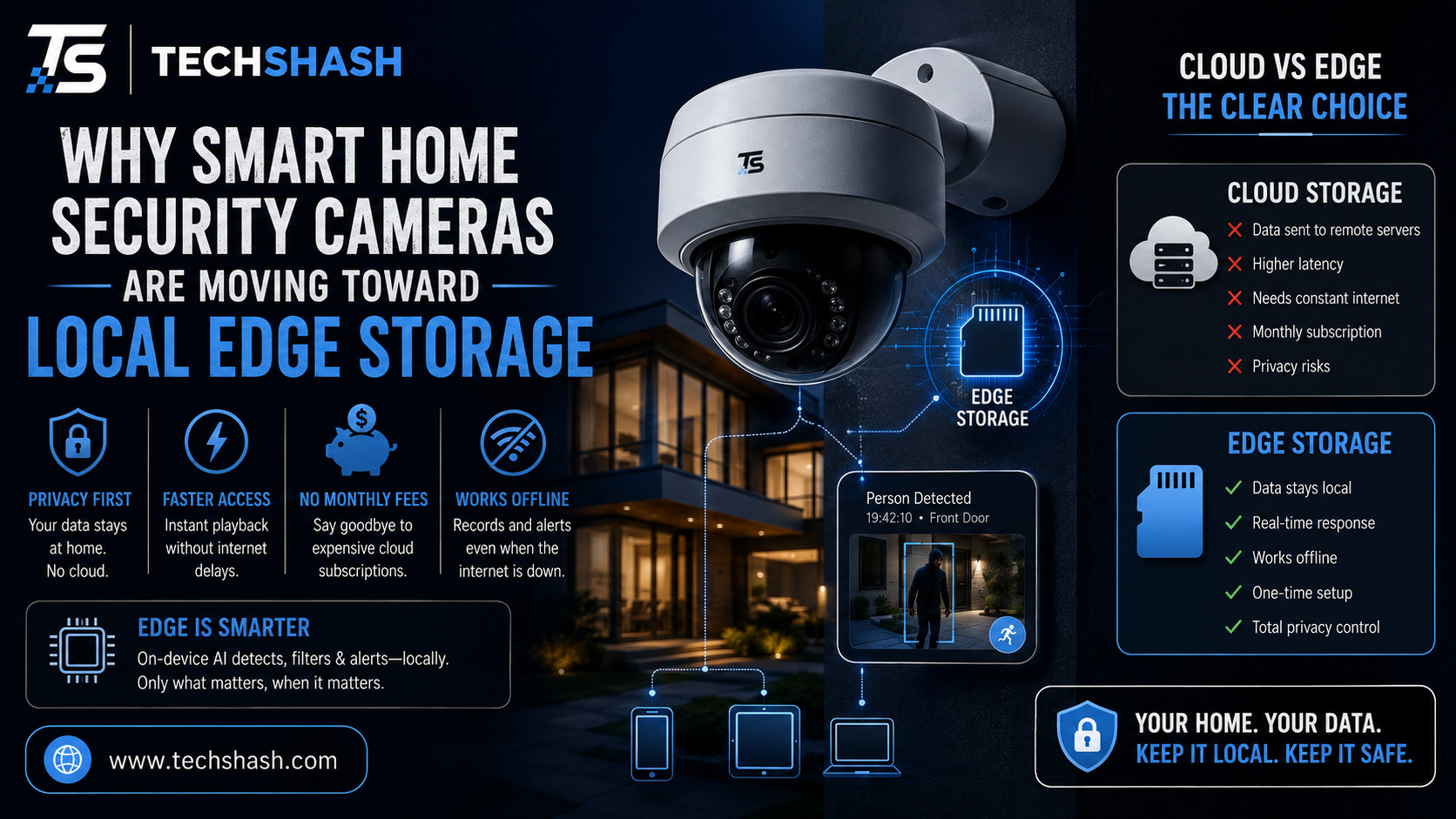
Keeping your home safe should not require you to pay forever just to view recorded footage. Many homeowners who bought smart hardware a few years ago are tired of paying continuous fees just to save basic video clips. Because of this growing frustration, local edge storage in smart home security cameras is becoming the preferred choice for people who want total control over their personal security devices.
Camera manufacturers are listening to these complaints and changing how their hardware functions. Instead of sending every single second of video across the internet to distant company servers, newer devices process and store footage directly inside your house. This major transition changes how we protect our living spaces, manage personal data, and control household tech spending.
1. The Growing Frustration with Monthly Cloud Subscriptions
Buying a camera used to feel like a one-time purchase. However, many users quickly realized that key features like motion history, custom detection zones, and continuous recording locked behind secondary monthly paywalls.
Over several years, paying three to ten dollars per month per camera adds up to a large sum of money. Families with four or five cameras around their home can easily spend hundreds of dollars annually just to keep their systems functional. Switching to local storage eliminates these recurring monthly fees while giving users permanent ownership of their security media.
Subscription Fatigue Among Homeowners
People already pay for video streaming, music apps, cloud storage, and news subscriptions. Adding yet another monthly bill for home protection creates serious subscription fatigue.
Hardware buyers want to buy a product once and own all its features immediately. When a security company places basic clip recording behind a paywall, buyers feel unfair pressure to keep paying forever.
Hidden Costs Over the Lifetime of a Device
A cheap wireless camera might look like a great deal when you see it on a store shelf. Unfortunately, three years of mandatory software subscriptions will cost far more than the initial price of the camera unit itself.
Choosing devices with built-in memory slots or local hubs keeps your total spending predictable. You buy the hardware once, install it, and use it without unexpected future bills.
2. Enhancing Privacy and Data Security at Home
Security footage shows intimate moments of your daily family life, including when you arrive home, who visits your front porch, and what happens inside your living spaces. Transmitting those sensitive video streams over external internet pipelines creates potential security risks that make many families uncomfortable.
Cloud servers operated by third-party companies can suffer from security breaches or misconfigured permissions. Storing your sensitive media directly on local chips keeps your personal records under your physical control at all times, which protects your privacy and data security against online threats.
Protecting Private Video Clips from External Leaks
When video files sit on distant servers, you must trust that server administrators and software code will keep your files safe. Past news reports have highlighted moments where unauthorized workers or hackers gained access to private customer feeds.
Local media saving keeps your private moments locked inside your own residence. If external servers experience a breach, your recorded files remain safe on your hardware at home.
Keeping Video Files Inside Your Local Home Network
Local setups allow your cameras to send video clips straight to a hub plugged into your home router. The footage never leaves your internal home network unless you open your app to view it remotely.
This closed system prevents unwanted data mining and unauthorized clip sharing. You retain total authority over who views your video history.
3. Faster Detection Speed Through On-Device Artificial Intelligence
Early smart cameras relied on cloud servers to analyze video frames and figure out if an object was a car, a dog, or a human intruder. The camera had to send raw video data across the internet, wait for the server to process it, and then receive an alert signal back.
Modern camera processors are now powerful enough to run smart algorithms locally without sending data away. Performing on-device AI processing allows the system to identify objects in milliseconds, sending instant warning notifications to your phone without processing lag.
Real-Time Alerts Without Server Processing Delays
Speed matters when an unwanted visitor approaches your front door or back window. Waiting several seconds for a distant server to classify motion can mean missing a critical event entirely.
On-device chips read the video stream locally as events happen. The moment a person steps into a designated zone, your phone receive a notification right away.
Smart Motion Classification at the Edge
Older cameras triggered annoying false alarms whenever tree branches moved in the wind or shadows shifted across the driveway. Local intelligence filters out harmless environmental movements quickly.
The processor recognizes vehicles, pets, packages, and humans directly on the hardware chip. You only get alerts for events that actually require your attention.
4. Reducing Network Bandwidth Strain and Internet Reliance
Traditional cloud security systems stream continuous video up to external servers every second of the day. This constant upload activity eats up massive amounts of home internet data and can cause online games or movie streams to lag for everyone else in the house.
Local storage systems only use network data when you actively open your phone app to check a live view. This massive network bandwidth reduction leaves your home internet fast and clear for work, gaming, and entertainment.
Saving Internet Bandwidth for Other Household Devices
Streaming multiple high-definition security feeds uploaded to the internet continuously puts heavy stress on standard home Wi-Fi routers. This heavy data traffic often causes buffering issues on televisions and laptops connected to the same network.
Local saving keeps heavy video traffic contained inside your local storage hardware. Your main internet connection remains fast for daily personal tasks.
Uninterrupted Recording During Internet Outages
Standard cloud cameras stop saving footage completely if your home internet goes down or your provider experiences a regional service outage. A clever intruder could simply cut your internet wire to disable your entire security network.
Edge-based hardware records continuously to physical memory even when your main internet connection drops completely. Once your connection returns, your recorded history remains perfectly intact and accessible.
5. How Local Edge Storage Works in Modern Camera Hardware
The shift toward edge-based recording uses several distinct physical formats depending on your system design. Some setups store files on tiny internal memory cards, while others send encrypted video to a central recording station hidden inside your house.
Understanding these hardware designs helps you select the right setup for your property layout. A proper microSD card and NAS backup strategy gives you both convenience and long-term storage security.
MicroSD Cards and Built-in Flash Storage
Many modern standalone cameras include a protected slot for a removable micro SD card. You simply slide a high-end memory card into the camera body to store weeks of motion-triggered event clips.
This approach keeps installation simple because you do not need extra home base station hubs. It works wonderfully for apartment dwellers or people who only need one or two cameras.
Centralized Home Hubs and Network Attached Storage
Larger properties often use a central home station that sits safely indoors near your internet router. Cameras stream their recordings wirelessly across your home to a large hard drive inside this hub.
You can also connect compatible cameras to a Network Attached Storage server. This hub strategy keeps your files safe indoors even if an outdoor camera suffers physical damage.
6. Challenges and Trade-Offs of Edge-Based Security Systems
While local media saving provides incredible benefits for cost and privacy, it comes with a few trade-offs you should consider before purchasing. No single hardware architecture is perfect for every home situation.
If an outdoor camera holds its own memory card, an intruder could steal or destroy the camera unit itself. Preventing loss from physical camera damage requires careful physical placement or using a hidden internal storage hub.
Physical Theft of Camera Equipment
A standalone camera mounted low on a front porch can be reached by hand. If a thief pulls the device down and takes it away, your recorded footage leaves with the camera.
You can avoid this issue by mounting hardware high out of reach or choosing a two-piece system that sends footage to an indoor hub. Keeping the physical storage media safely inside your locked house eliminates this risk.
Higher Initial Hardware Costs
Cameras built with fast local processors and large storage bays usually cost more money upfront than basic cloud-dependent cameras. Manufacturers must include better computer chips inside the camera shell to handle local processing tasks.
However, paying a slightly higher initial purchase price saves you money over time. You avoid endless monthly membership fees, making the total cost lower after just one year of use.
Key Takeaways
- No monthly fees: Local storage eliminates recurring subscription charges for video recording history.
- Improved privacy: Keeping video files inside your home network prevents cloud server data leaks.
- Faster warnings: On-device artificial intelligence detects people and motion without server delays.
- Offline recording: Cameras keep recording during power internet outages without losing video history.
- Reduced network load: Local video saving keeps your home Wi-Fi fast for other family devices.
FAQs
What is local edge storage in home security cameras?
Local edge storage means your security camera saves and processes video clips directly on internal memory chips or a local home hub rather than sending data to cloud servers.
Do edge storage cameras work when the internet goes out?
Yes, local storage cameras continue recording video directly to physical memory cards or indoor hubs even when your internet connection drops completely.
How much memory card space do I need for local camera storage?
A standard high-end 128 gigabyte memory card typically stores several weeks of motion-triggered video clips under normal daily use.
Are local storage security cameras completely free of subscriptions?
Most local storage cameras operate fully without any mandatory monthly fees because features run on internal hardware rather than cloud servers.
Can I still view my video remotely on my phone with local storage?
Yes, modern local storage systems allow you to stream live footage and view saved clips on your smartphone securely over the internet.
Conclusion
The shift toward local edge storage in smart home security cameras marks a positive return to real product ownership, personal privacy, and fast home protection. Removing monthly cloud fees allows homeowners to protect their property without worrying about continuous costs or data leaks. As local computer chips become even faster and memory cards grow cheaper, edge processing will remain the smartest way to secure your modern home.