Introduction
Samsung has offered some version of a phone-powered desktop experience since 2017, and DeX remains the most ambitious attempt any phone maker has made at turning a smartphone into an actual workstation. One UI 9, which launched in July 2026, brings the latest round of DeX upgrades, focused mainly on better window and multitasking management.
The bigger question, though, has not changed much in years: can a Galaxy phone running DeX genuinely replace a Windows PC? This article looks at what One UI 9 actually adds, what quietly disappeared along the way, and where DeX still runs into real limits.
What One UI 9 Actually Changed About DeX
One UI 9, built on Android 17, shipped as the stable release on July 22, 2026, arriving first on the Galaxy Z Fold 8, Z Fold 8 Ultra, and Z Flip 8, with a wider rollout to the Galaxy S26 series and older devices expected through the following months. Samsung’s headline DeX changes in this release center on multitasking across virtual desktops.
Users can now move individual app windows between separate virtual desktops rather than being confined to one workspace, and a new preview feature in the Recents screen lets you glance at each desktop and switch between them with a single tap. One UI 9 also adds two-way and three-way split view support, letting windows be resized and rearranged more freely, along with what Samsung describes as improved window snapping behavior when connected to an external display.
These are meaningful quality-of-life improvements for anyone already using DeX regularly, but it is worth being clear about their scope. They refine how DeX manages windows and desktops. They do not change what kind of software DeX can actually run.
A Quiet but Important Change: DeX for Windows Is Gone
Before getting into what DeX can do in 2026, it is worth flagging something that quietly disappeared a couple of years earlier and still shapes how people set DeX up today. DeX for Windows, the app that let you plug a Galaxy phone into any Windows PC and run a DeX desktop environment directly inside a window on that computer, was discontinued starting with One UI 7.
Samsung’s own guidance on the change was direct: the company stated that DeX for PC on Windows would end support from One UI 7 onward, and recommended that users switch to Microsoft’s Phone Link feature instead for connecting a Galaxy phone to a Windows computer. Phone Link offers notification syncing, messaging, and the ability to run individual phone apps on the Windows desktop, but it does not replicate the full DeX desktop environment the way the old Windows app did.
This matters for the “replace your PC” framing specifically. What remains is DeX running through a monitor, TV, or wireless display target, essentially turning the phone into the computer itself, rather than DeX running as software layered on top of an existing Windows machine. If your mental image of DeX involves plugging a phone into a laptop and getting a DeX window on the Windows desktop, that specific setup no longer exists.
How DeX Works Now
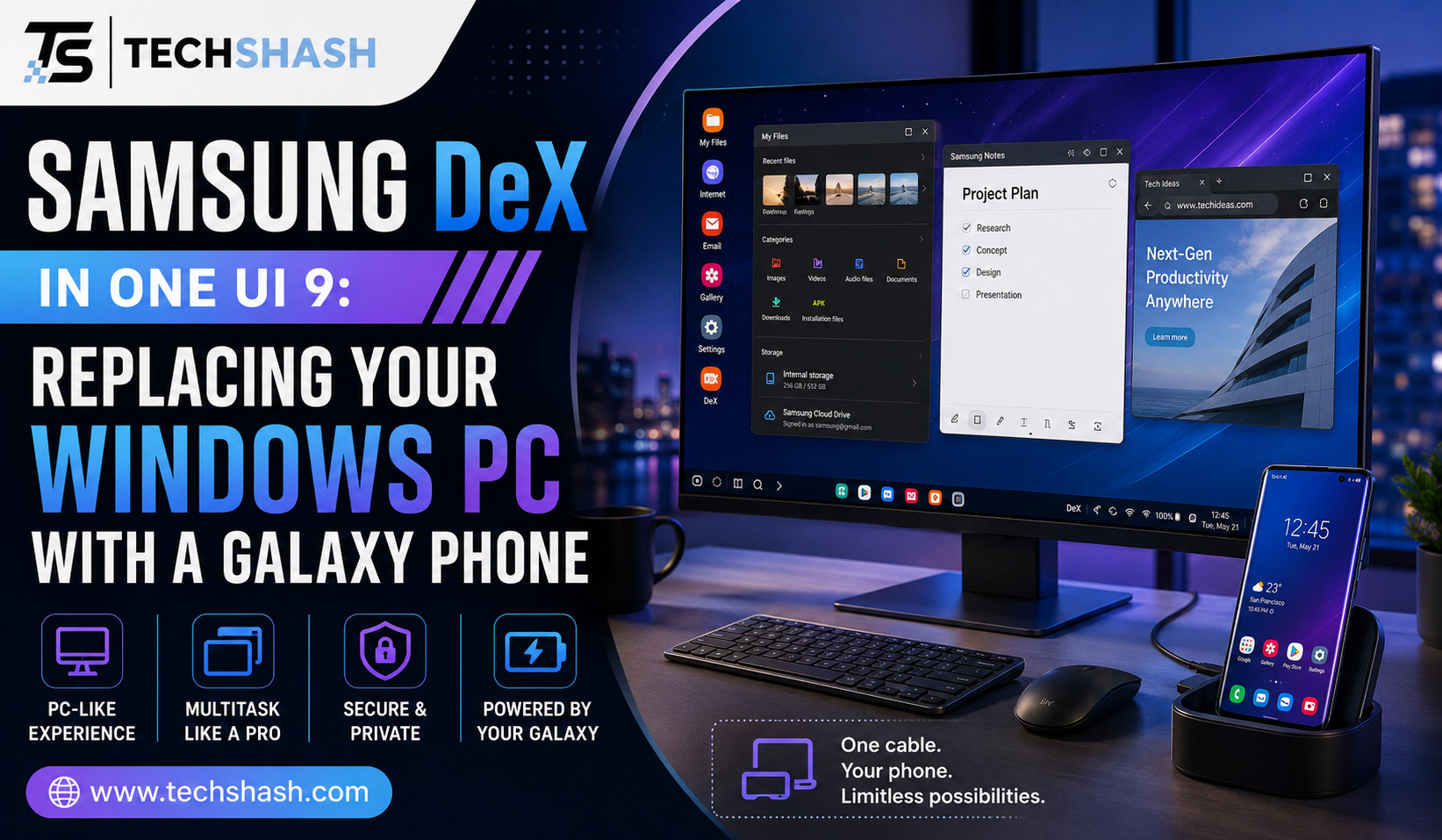
With the Windows app gone, DeX today works the way it originally launched: connect a Galaxy phone to an external display, either through a USB-C cable, a compatible dock or hub, or a supported wireless display, and the phone’s screen transforms into a full desktop-style interface, complete with a taskbar, resizable app windows, and support for a mouse and keyboard.
Because the display is doing nothing more than showing an interface, DeX’s actual computing power is limited entirely to the phone’s own hardware. A TV, monitor, or even an old laptop screen can all technically serve as a DeX display, since the connected screen isn’t providing any processing power of its own, just video output and often the connection point for peripherals.
The apps you run inside DeX are ordinary Android apps, adapted to a resizable, mouse-and-keyboard-friendly window rather than a touch-first phone screen. Most well-built Android apps handle this transition smoothly. Apps that were never designed with a desktop layout in mind can behave oddly, or in some cases fail to load at all.
Where DeX Genuinely Holds Up as a PC Replacement
For a specific category of work, DeX in 2026 is a legitimately capable substitute for a laptop. Browser-based work, cloud document editing, email, messaging, file management, and general productivity apps tend to run smoothly and consistently, regardless of which display or peripherals are connected.
Multitasking has become one of DeX’s stronger areas, and One UI 9’s virtual desktop improvements build directly on that strength. Reviewers testing DeX with multiple browser windows alongside apps like a gallery or messaging client report no real issues, and the ability to organize different tasks across separate virtual desktops, then jump between them, mirrors a workflow habit many laptop users already rely on.
Portability is DeX’s other genuine advantage. Because the entire computer is the phone already in your pocket, a lightweight setup involving a small hub, a compact display, and a keyboard can replace the need to carry a separate laptop altogether, particularly for travel-friendly, mobile-first workflows built around apps and cloud services rather than heavy local software.
Where DeX Still Falls Short
The most consistent limitation reviewers describe, year after year, is software compatibility. Professional desktop applications like Photoshop, advanced code editors, and CAD tools are either unavailable on Android entirely or only partially functional, and even when a comparable app does exist, its touch-first design can feel awkward once it is being controlled with a mouse and keyboard.
Performance is a related, separate constraint. Mobile processors, however capable, still fall short of dedicated laptop CPUs and GPUs for genuinely demanding tasks such as video rendering, complex multitasking under heavy load, or anything approaching serious gaming, since DeX has no independent graphics hardware to lean on beyond whatever the phone itself contains.
Practical friction adds up too. Extended DeX sessions can cause a phone to run hot and drain its battery faster than normal use, which becomes a real consideration if the phone is not connected to power throughout a work session. The setup also depends entirely on having the right accessories on hand: a hub, cable, or compatible display. Losing or forgetting any one piece breaks the whole arrangement in a way a self-contained laptop never has to worry about.
Who Should Actually Consider This Setup
DeX makes the most sense as a companion tool rather than a primary machine, and that framing has held up consistently across independent testing throughout 2026. People whose daily work already lives inside a browser, cloud services, and well-supported Android apps tend to find DeX genuinely useful, sometimes even preferable to carrying a separate laptop for lighter travel.
People who depend on desktop-class software, whether that is professional creative tools, specialized engineering applications, or anything requiring serious sustained performance, are better served treating DeX as a convenient backup workspace rather than the machine their workflow is built around. That distinction, companion versus replacement, is really the honest way to frame what One UI 9’s improvements change and what they do not.
Is a Galaxy Phone a Real Windows Replacement
For a meaningful slice of everyday computing, yes, and One UI 9 makes that slice slightly larger and more comfortable to work in through better multitasking and window management. For anything resembling a full Windows replacement covering professional software, heavy multitasking, or demanding performance, the honest answer is still no, and none of One UI 9’s changes were aimed at closing that particular gap.
The more accurate framing might be that Samsung has quietly narrowed its own ambitions here. DeX for Windows, the feature that most directly pitched a phone as software layered onto an existing PC, is gone. What remains is a more focused, monitor-and-peripheral-based desktop mode that Samsung continues to refine, without pretending it competes with a full computer for demanding, professional-grade work.
Key Takeaways
- One UI 9’s DeX changes: Better virtual desktop multitasking, window previews from Recents, and improved split view and window snapping.
- A major discontinuation: DeX for Windows was retired starting with One UI 7, replaced by Microsoft’s Phone Link for phone-to-PC connections.
- How DeX works today: The phone connects to an external display via cable, dock, or wireless connection, using only the phone’s own processing power.
- Where it excels: Browser work, cloud documents, messaging, and mobile-first productivity workflows.
- Where it struggles: Professional creative and engineering software, heavy multitasking, sustained performance, and battery or heat management during long sessions.
- Best framing: A capable companion workspace for specific workflows, not a full Windows replacement.
Frequently Asked Questions
Does One UI 9 make Samsung DeX a full Windows replacement?
No, One UI 9 improves multitasking and window management within DeX, but it does not address the software compatibility and performance limits that keep DeX from replacing a full Windows PC.
Can I still connect DeX directly to a Windows laptop?
Not the way DeX for Windows worked previously; that feature was discontinued starting with One UI 7, and Samsung now recommends Microsoft’s Phone Link for phone-to-PC connections instead.
What kind of display does DeX need in 2026?
Any external monitor, TV, or compatible display connected via USB-C cable, a hub or dock, or a supported wireless connection.
Can DeX run professional software like Photoshop or CAD tools?
Generally no, these applications are either unavailable on Android or only partially functional compared with their desktop counterparts.
Who benefits most from using Samsung DeX?
People whose work already happens mainly in a browser, cloud apps, and well-supported Android software tend to get the most practical value from DeX.
Conclusion
Samsung DeX in One UI 9 is a genuinely improved version of an idea Samsung has been refining since 2017, with better multitasking and window management making it a more pleasant tool to actually work in. It is not, however, a full Windows replacement, and the quiet retirement of DeX for Windows suggests Samsung itself has settled into treating DeX as a focused companion workspace rather than a computer-killing ambition. For browser-based, cloud-first work, a Galaxy phone with DeX can absolutely stand in for a laptop. For anything demanding real desktop-class software or performance, it remains a backup, not a replacement.