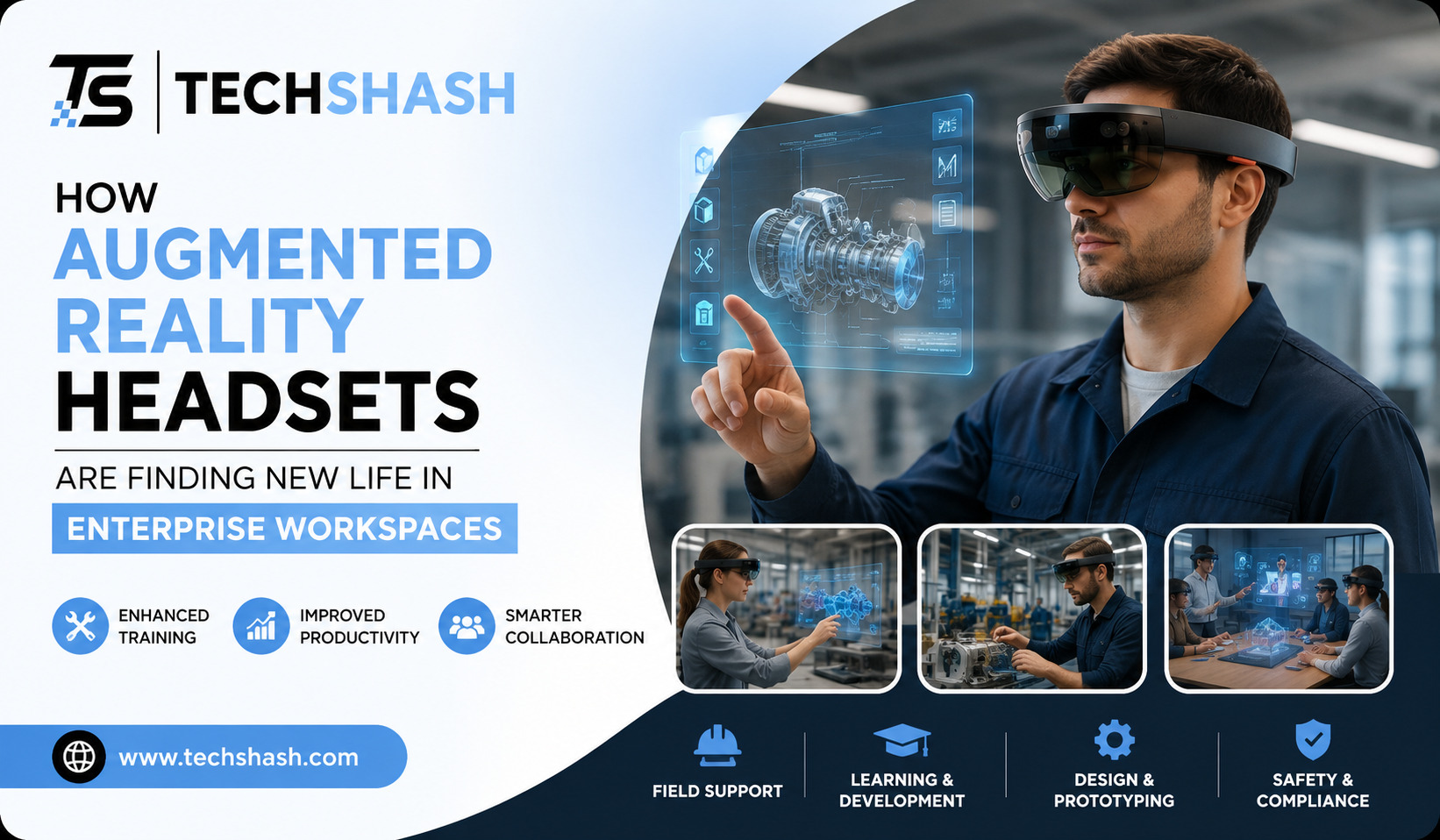
Consumer electronics markets often experience unpredictable shifts in user interest. Many early virtual and mixed reality devices struggled to keep standard retail buyers engaged long term. Yet, physical industries are discovering immense practical value in head-mounted display devices. The adoption of augmented reality headsets in enterprise workspaces has grown rapidly across manufacturing, logistics, and healthcare. Companies use these tools to solve real physical bottlenecks rather than display virtual novelties. This article examines how industrial businesses deploy wearable computing to streamline operations and train workers.
1. The Pivot From Consumer Entertainment to Augmented Reality Headsets in Enterprise Workspaces
Early marketing campaigns for wearable headsets focused heavily on video games and virtual travel. Many everyday consumers found the hardware too heavy, expensive, or unnecessary for basic home entertainment. Commercial operations, however, face entirely different challenges than home users. Factory floors and repair bays demand instant access to technical data without forcing workers to stop manual labor.
Commercial enterprises require visual tools that blend digital instructions directly into physical job sites. Devices like smart glasses overlay circuit diagrams, structural schematics, and maintenance checklists directly onto real machines. Industrial deployment shifted focus from immersive entertainment toward direct functional utility. Modern headsets now prioritize head-tracking stability, long battery life, and clear visual readouts under bright factory lighting.
Transitioning into factory environments allowed hardware makers to refine specialized sensors. Depth sensors and infrared cameras now measure spatial dimensions with high exactness. Rather than selling millions of units to casual gamers, manufacturers build high-value systems for specialized operations. As a result, businesses report lower operational mistakes and faster job completion times.
2. Hands-Free Remote Assistance for Field Service Engineers
Field service technicians often travel to distant locations to fix industrial machinery. When an unexpected breakdown happens, waiting for a specialized technician can cause costly production halts. Wearable video displays give local technicians immediate access to off-site experts.
Through live camera feeds, an expert sitting thousands of miles away sees exactly what the local technician sees. The off-site specialist can draw digital arrows or highlight specific valves on the view screen. The technician on-site views these markings locked in physical space over the equipment. First-time repair rates increase when technicians receive real-time guidance directly in their line of sight.
Removing paper manuals from field work keeps technician hands completely free to operate power tools. Voice-activated commands allow operators to zoom in on wire diagrams without touching a screen with dirty gloves. Industrial trials show that live video support cuts equipment downtime significantly. Companies also save thousands of dollars per month on unnecessary air travel expenses for senior experts.
3. Interactive Spatial Design and 3D Prototyping
Designing complex mechanical structures normally requires building physical mockups or viewing flat two-dimensional blueprints. Both methods have clear limitations when engineering intricate engines or building layouts. Three-dimensional spatial displays allow engineering teams to walk around life-sized digital models before cutting raw materials.
Automotive and aerospace companies project full-scale digital prototypes onto physical workshop floors. Engineers examine spatial clearances, ergonomics, and structural alignment together in the same room. If a component collides with an internal wall, designers catch the defect early in the process. Virtual prototyping reduces waste by catching design flaws long before physical manufacturing starts.
Architectural firms utilize similar projection methods when presenting site plans to clients. Stakeholders walk through full-scale digital walls to evaluate window placements, room flow, and lighting angles. Making layout adjustments digitally saves weeks of structural reconstruction work. The entire design cycle becomes much faster, more accurate, and far less expensive.
Collaborative Spatial Reviews
Multiple team members can view the exact same digital asset simultaneously from different angles. One engineer can manipulate internal engine valves while another checks exterior clearance. Shared spatial sessions allow remote teams across the globe to inspect identical structural models in real time.
4. Accelerated Employee Training and Complex Skill Development
Training new technicians on high-risk machinery traditionally requires taking expensive equipment out of production. Instructors must supervise trainees closely to prevent dangerous mistakes or machine damage. Wearable visual guides create safe, controlled learning conditions on active factory floors.
New hires follow interactive 3D overlays that highlight each exact bolt and switch in sequence. The system prevents trainees from proceeding to the next step until they complete the current action correctly. Onboarding speed doubles when new employees learn by performing guided physical tasks rather than reading manuals.
TRADITIONAL VS. AR-GUIDED WORKFORCE ONBOARDING
————————————————————————————————————
Method Manual Reading Instructor Oversight AR Overlay
————————————————————————————————————
Hands-Free Mode No No Yes
Step Verification Self-Checked Manual Automated
Error Rate Moderate Low Very Low
Time to Proficiency Slow Moderate Fast
————————————————————————————————————
Safety procedures also improve when visual warnings appear directly near hazardous areas. Trainees see highlighted heat zones or high-voltage points overlaid onto physical machinery. Experiencing these warnings in real time builds muscle memory faster than studying safety brochures. Organizations maintain consistent quality standards across all facilities without demanding continuous instructor presence.
Knowledge Retention and Assembly Accuracy
Retiring technicians possess decades of unwritten operational knowledge that companies risk losing. AR systems allow veteran technicians to record step-by-step spatial guides while performing routine work. Subsequent workers replay these exact spatial recordings, preserving vital trade knowledge inside the organization.
5. Optimizing Logistics and Warehouse Pick Operations
Fulfillment hubs manage thousands of product movements every single hour. Traditional picking processes require staff members to read paper sheets or hold handheld barcode scanners. Looking down at handheld devices breaks visual attention and slows down physical walking speed.
Hands-free display glasses streamline order fulfillment by highlighting picking locations visually. Visual arrows painted onto the warehouse floor lead workers along the shortest physical route to the correct shelf bin. When the picker reaches the bin, a digital box highlights the item and verifies the quantity needed. Order picking speed improves by double-digit percentages when operations eliminate handheld devices.
Integrated scanning hardware inside the headset verifies barcodes automatically as the worker picks the item. Eliminating manual handheld scanning lowers physical fatigue and reduces product drops. Accuracy metrics show noticeable improvements because workers receive immediate feedback if they touch the wrong shelf location.
Reducing Onboarding Time for Seasonal Staff
Warehouse facilities experience large surges in hiring during holiday shopping periods. Training seasonal workers using traditional methods often takes several days per group. Display headsets allow temporary workers to achieve full speed within hours by following visual arrows and item prompts.
6. Addressing Hardware Ergonomics and Technical Challenges
Despite clear operational benefits, enterprise hardware deployment faces ongoing practical challenges. Heavy headgear causes neck strain when workers wear devices across full eight-hour shifts. Technical managers must address weight distribution, battery heat, and visual fatigue before ordering site-wide rollouts.
TECHNICAL CHALLENGES AND PRACTICAL SOLUTIONS
+————————+———————————————-+
| Challenge | Practical Solution |
+————————+———————————————-+
| Device Weight | Split-architecture with hip battery packs |
| Thermal Heat Output | Passive cooling vents and low-draw chips |
| Network Latency | Local edge computing and Wi-Fi 6 network |
| System Hygiene | Swappable face cushions for shared devices |
+————————+———————————————-+
Battery life remains another major obstacle for continuous manufacturing shifts. High-resolution sensors and bright visual displays drain small lithium batteries quickly. Operations address this limitation by using hot-swappable battery packs attached to tool belts. Weight management design separates heavy computational processors from the visor frame to improve user comfort.
Software compatibility presents a final hurdle for enterprise IT departments. Visual headsets must sync reliably with existing enterprise resource planning and warehouse management databases. Updating legacy industrial software to stream spatial data requires careful network planning and dedicated wireless connections.
Network Requirements and Data Security
Transmitting high-definition video streams across dense factory environments demands stable connectivity. Plants install dedicated Wi-Fi 6 or private 5G networks to prevent spatial jitter and video delays. Information technology teams must also encrypt live camera feeds to protect confidential production processes from external exposure.
7. Strategic Implementation Protocols for Enterprise Adoption
Rolling out head-mounted visual systems across large organizations requires structured execution. Companies that purchase hundreds of headsets without clear testing phases often experience low employee adoption. Successful deployments start with small pilot programs targeting specific operational bottlenecks.
Management should select one metric, such as repair turnaround time or picking error rates, to measure success. Testing systems on a single assembly line helps IT teams resolve network bugs without disrupting full factory production. Targeted pilot programs build worker trust and generate clear data to justify wider technology investments.
Worker input must guide hardware selection from the earliest phase. Involving union representatives and shop-floor technicians ensures selected headgear meets safety standards and daily comfort requirements. Clear training, comfortable headstraps, and simple voice commands encourage long-term adoption across all operational teams.
Measuring Return on Investment
Calculating the financial return of enterprise hardware involves multiple operational factors. Lowering travel budgets for senior engineers delivers rapid cost savings within months. Reducing assembly errors on expensive industrial products prevents high-cost material scrap and warranty claims.
Key Takeaways
- Primary Application Shift: Enterprise adoption focuses on hands-free work guidance rather than consumer entertainment.
- Remote Field Support: Live spatial annotations allow off-site experts to guide repairs instantly, cutting travel costs.
- Prototyping Precision: Full-scale 3D models allow design teams to spot structural defects before physical production starts.
- Training Efficiency: Interactive visual prompts double onboarding speed and protect workers in hazardous environments.
- Warehouse Optimization: Hands-free visual navigation increases item picking speeds while reducing manual error rates.
- Ergonomic Considerations: Successful adoption depends on hot-swappable batteries, light frames, and comfortable weight distribution.
FAQs
What is the primary operational advantage of using wearable headgear in industrial facilities?
The main benefit is providing hands-free access to digital visual instructions directly within a worker’s field of view.
How do wearable displays help reduce travel costs for technical organizations?
Senior experts can inspect equipment remotely through live video feeds instead of flying to distant physical job sites.
Can wearable smart glasses work alongside existing warehouse software systems?
Modern enterprise smart glasses connect directly with existing warehouse management databases through secure wireless networks.
How do spatial visual displays improve assembly line accuracy?
Digital overlays highlight the exact parts, tools, and steps required, preventing operators from skipping mandatory assembly actions.
What hardware factors prevent employee fatigue during long work shifts?
Balanced weight distribution, hot-swappable external batteries, and breathable facial padding help reduce physical strain during extended use.
Conclusion
The practical use of augmented reality headsets in enterprise workspaces marks a permanent evolution in how industrial work gets done. By moving past initial consumer gaming concepts, head-mounted displays now deliver clear financial value to physical industries. From field repairs and prototype design to warehouse logistics and workforce training, hands-free visual guidance improves accuracy and worker safety. As hardware designs become lighter and wireless networks grow faster, wearable computing will become standard equipment across global enterprise operations.