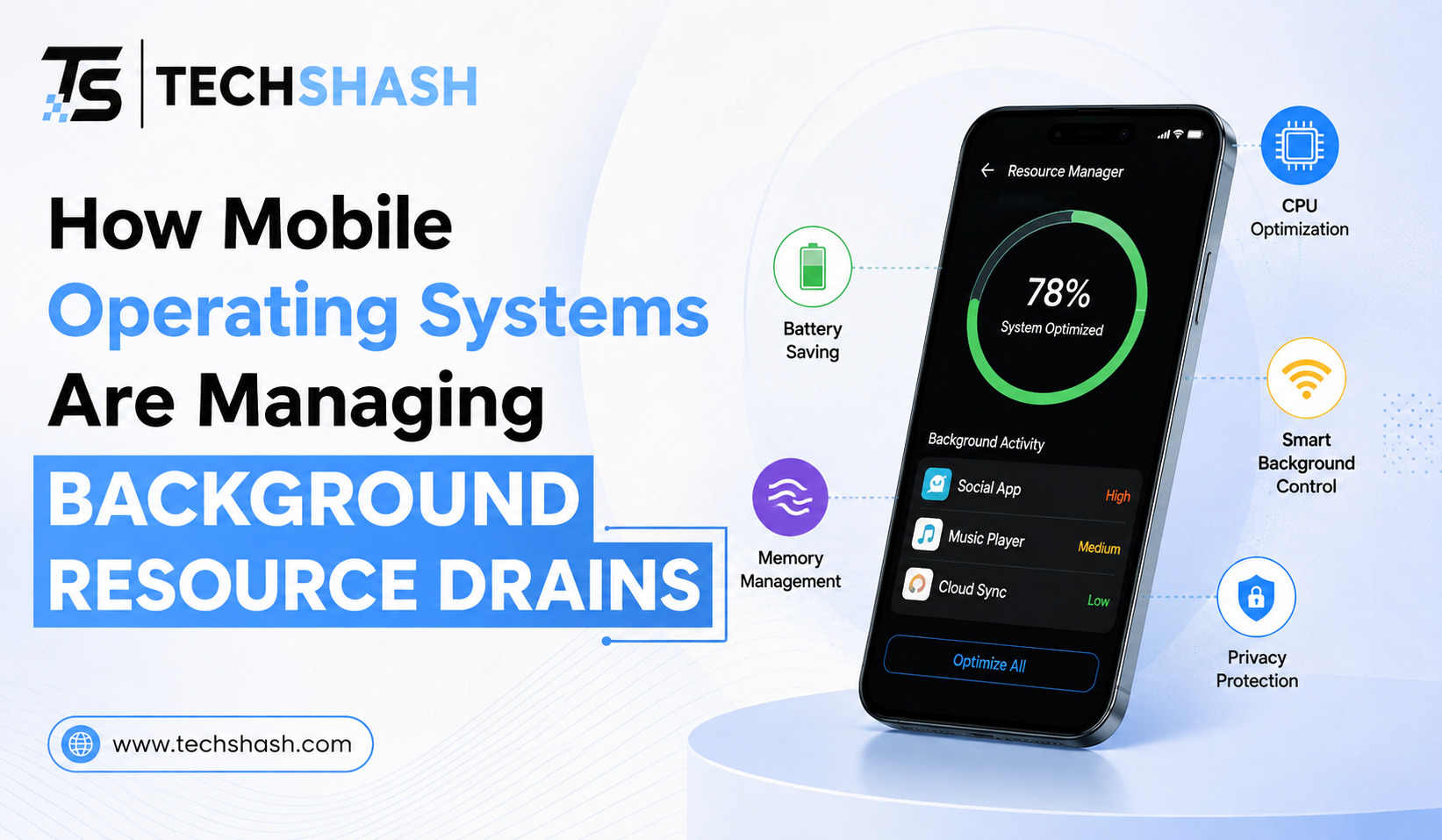
Smartphone users rely on dozens of applications every single day for communication, work, navigation, and entertainment. However, when an application stays open in the background without active user interaction, it can quietly consume hardware energy and memory space. Understanding how mobile operating systems are managing background resource drains helps us appreciate how modern devices maintain long battery life and smooth daily performance. Both Android and iOS have created smart software rules that stop idle programs from wasting processor power while still letting important messages arrive on time.
1. Understanding Mobile Operating System Background Resource Drains
Every application installed on a smartphone requires system memory and processing cycles to operate. When a user switches to a different application or locks the phone screen, the previous application often attempts to continue its tasks. These hidden tasks may include fetching fresh data from distant servers, tracking location updates, or syncing large user files.
If hundreds of applications ran freely at the same time, phone batteries would empty within a few hours. Constant background activity also generates extra heat inside the device housing, which degrades physical hardware components over time. System processors must work harder when too many software threads ask for immediate hardware attention.
Operating system designers recognized this critical issue many years ago. They created strict background execution policies to govern how applications behave when they are out of direct sight. Modern operating systems classify software activities based on user urgency so that unnecessary background activity is paused without breaking core smartphone functions like phone calls or alarms.
Background resource consumption usually falls into three distinct categories:
- Continuous network polling to check for updates
- GPS location scanning in the background
- Unrestricted memory usage caused by unoptimized code
2. How Android Controls Background Process Execution
Google has introduced several layers of system restrictions over successive software updates to curb battery strain. In older versions of the software, applications could start persistent background services that ran indefinitely. Modern Android updates have replaced those unrestricted permissions with strict system checks.
One major feature is Doze mode, which places the device into a deep sleep state when the phone rests unused on a table. During Doze mode, the operating system groups network activity into brief maintenance windows. Applications must wait for these scheduled windows to sync data unless a high-priority push message arrives.
Another important feature involves Android background execution limits, which stop idle apps from starting background services without explicit permission. The operating system also groups applications into different usage buckets based on recent user activity:
- Active Bucket: Applications currently on screen or running a foreground task.
- Working Set Bucket: Applications used frequently every day, allowed minor delays for background jobs.
- Frequent Bucket: Applications used regularly but not every day, given stricter job execution limits.
- Rare Bucket: Applications opened infrequently, restricted to rare data sync windows.
- Never Bucket: Installed applications that have never been opened, blocked from all background execution.
3. How iOS Manages App Suspensions and Background Tasks
Apple takes a very strict approach to application lifecycles on iPhones and iPads. When a user exits an application on iOS, the system immediately shifts that application from an active state into a suspended state. In this suspended state, application code remains stored inside system memory, but it receives zero processor attention.
This system state allows applications to reopen almost instantly without consuming extra battery while idle. If the device runs low on memory, the operating system quietly removes suspended applications from system storage without asking the user. For applications that require regular data updates, Apple offers a controlled feature called iOS background app refresh.
Instead of allowing software to check servers whenever it wants, the operating system decides when updates occur. The system observes user habits, such as what time a user usually checks news or weather apps. It then schedules brief fetch tasks right before those typical usage times.
Developers who need to run longer tasks must submit work requests to a dedicated system task scheduler. The operating system evaluates these requests and executes them only when conditions are ideal:
- The device is connected to a stable Wi-Fi network.
- The battery charge level is sufficiently high.
- The device screen is turned off and idle.
4. The Role of Machine Learning in Battery Optimization Techniques
Modern smartphones now use smart predictive models to monitor how individuals interact with their devices. Rather than applying static rules to every application, the operating system learns personal daily routines. If you open a social media application every morning at eight, the system prepares that app right before you wake up.
These smart systems track data usage patterns, screen unlock frequencies, and daily charging habits. By analyzing these signals, the operating system builds a customized resource schedule for each user. Apps that are rarely opened during evening hours lose their ability to run background checks during those specific times.
Furthermore, advanced battery optimization techniques allow the operating system to lower processor clock speeds when background tasks execute. Lower processor speeds use less voltage, which preserves precious battery energy. The system prioritizes immediate user touches on the screen while delaying background calculations until the processor is idle.
Smart learning tools also spot abnormal application behavior in real time. If a poorly coded application begins draining energy rapidly due to a bug, the operating system warns the user. It can also automatically restrict that application until a corrective developer patch is installed.
5. Developer Rules and Foreground Service Restrictions
Software creators must follow strict platform rules if they want their applications to stay active in the background. Operating system vendors require developers to use standardized notification tools instead of keeping full applications running. For example, remote push notification servers handle message alerts so individual applications do not have to stay awake.
When an application truly needs to perform continuous work, it must use a foreground service. A foreground service displays a persistent, non-dismissible notification bar on the screen to inform the user that work is happening. Examples include audio players streaming music or navigation applications tracking driving routes.
Because the user can clearly see the active notification, developers cannot hide unwanted background activity inside foreground services. Platforms also enforce strict execution time limits on these services:
- Audio playback must stop when media ends.
- Location tracking must pause when navigation finishes.
- Data transfers must report progress accurately.
- Background tasks must release system resources within seconds after completion.
If an application breaks these platform guidelines, the operating system will forcefully terminate the process. Repeated policy violations can cause applications to be removed from official application stores, which encourages developers to write efficient code. Strict API compliance rules ensure that software creators respect user battery expectations.
6. Comparing Mobile RAM Management and CPU Throttling Across Platforms
System memory and processor scheduling work together to maintain fast device responsiveness while preserving battery reserves. Mobile operating systems treat memory allocation very differently than desktop computers. Mobile devices avoid using virtual memory swap files on storage drives because writing data to flash storage consumes high power and causes hardware wear.
Instead, when mobile RAM management systems run low on free space, they clear cached application states directly. Android utilizes an automated low memory killer tool that ranks processes by importance score. Applications with low scores are terminated first to protect active foreground tasks.
iOS uses a compressed memory system that shrinks idle application data inside RAM before removing it completely. Both platforms use processor throttling to reduce CPU core frequencies when background work is performed. Running processor cores at lower clock speeds generates far less heat and reduces energy draw significantly.
Here is a side-by-side comparison of how key resource management features function across both platforms:
| Feature | Android Operating System | iOS Operating System |
| Idle App State | Grouped into usage buckets | Frozen in suspended RAM state |
| Background Refresh | Controlled by Doze and JobScheduler | Scheduled by system habit learning |
| Memory Cleanup | Low Memory Killer clears low-priority tasks | Compressed memory purged as needed |
| Continuous Work | Requires persistent foreground notification | Requires explicit background task request |
Key Takeaways
- Battery preservation: Modern mobile operating systems restrict background app activity to extend battery life and prevent device overheating.
- Android strategy: Uses Doze mode, App Standby Buckets, and strict execution limits to manage idle applications.
- iOS strategy: Freezes background apps in memory and schedules background app refresh using smart user habit analysis.
- Machine learning: Predictive tools learn daily app usage routines to allocate system resources efficiently.
- Developer accountability: Applications must display persistent notifications for continuous background tasks or face system termination.
FAQs
Why do mobile applications continue to consume resources when they are not open on screen?
Applications run background tasks to download new messages, track user location for navigation, and synchronize personal files with remote cloud servers.
Does closing background applications manually save smartphone battery power?
Force closing background applications actually drains more battery because the processor must spend extra energy reloading the software from scratch when reopened.
What is the difference between suspended apps and active background apps?
Suspended apps sit frozen in system memory without using processor power, whereas active background apps continue executing code and consuming battery energy.
How does machine learning help extend smartphone battery life?
Machine learning predicts which applications you will use throughout the day and limits resource access for apps you rarely open.
Conclusion
Understanding how mobile operating systems manage background resource drains shows how far mobile software technology has advanced. By combining intelligent app freezing, predictive background execution schedules, and developer guidelines, modern operating systems maintain quick performance while protecting battery health. Smartphone users no longer need to constantly manage their open applications manually, because the software handles resource distribution automatically in the background.