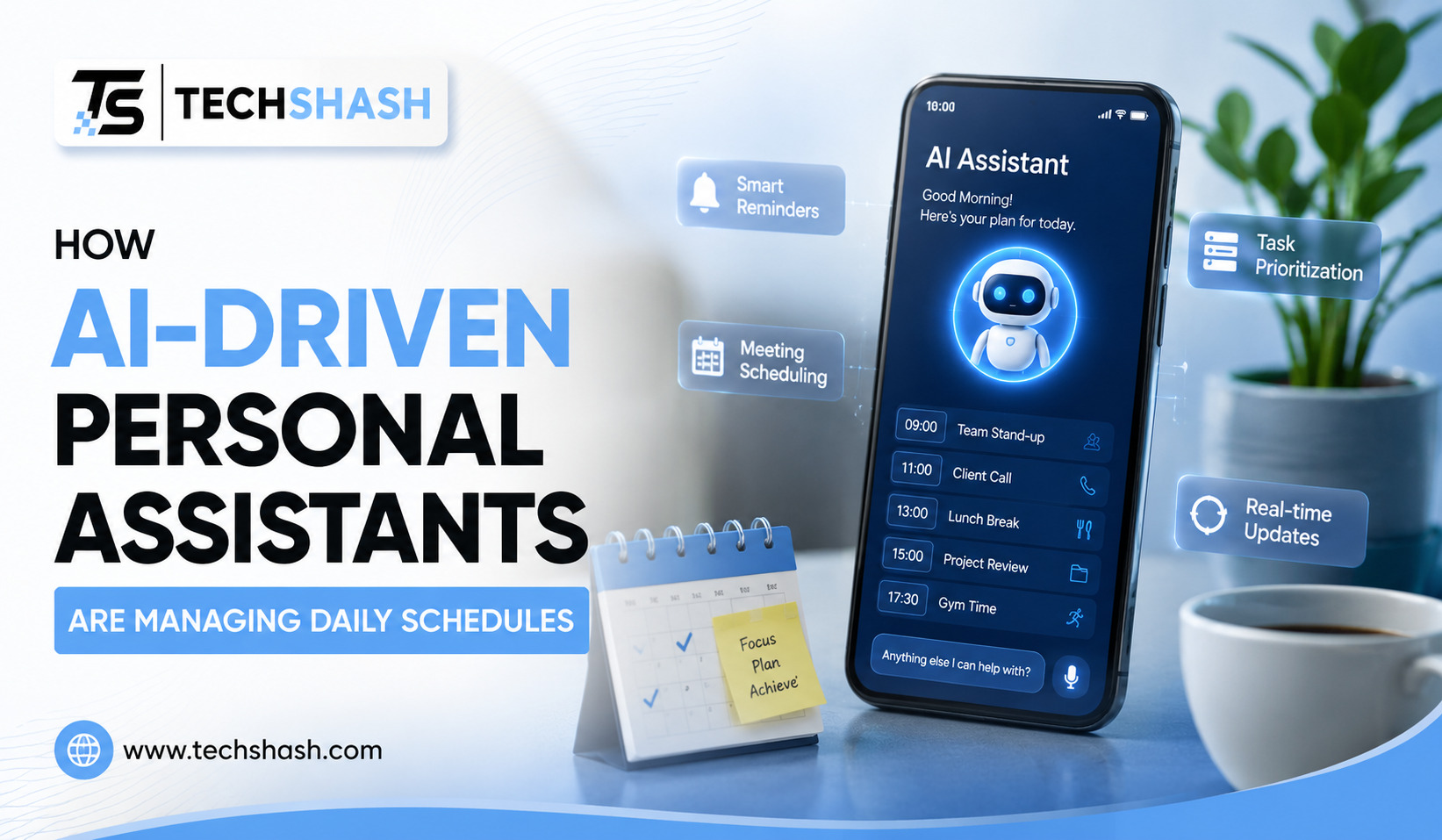
Many working professionals find themselves drowning in endless lists of tasks, conflicting appointments, and chaotic calendars. Keeping track of every meeting, deadline, and personal errand requires constant attention that consumes valuable mental energy. Using AI-driven personal assistants provides a simple, modern solution to take control of your time without spending hours organizing your day manually.
This guide covers how these smart software applications organize daily agendas, reduce conflicts, protect focus hours, and keep work life balanced.
1. How AI-Driven Personal Assistants Change Daily Planning
Traditional calendar tools require users to manually type in every single event, set reminders, and drag blocks of time across the screen. When a single meeting shifts, you often must move five other items manually to fix the conflict. That tedious process creates friction and leads to forgotten promises or disorganized workdays.
Software applications equipped with intelligent algorithms change this routine completely. Instead of treating your calendar like a static spreadsheet, these virtual tools treat time like a flexible flow of activities.
Moving From Manual Entry to Automatic Setup
Manual input takes up precious minutes every morning and evening. Virtual schedulers take text notes, emails, or voice commands and turn them into structured events without extra effort on your part.
- Voice commands instantly turn into categorized calendar entries.
- Written email requests convert into confirmed time slots.
- Action items inside team chat apps auto-populate into personal daily lists.
Recent workplace surveys show that knowledge workers spend nearly twenty percent of their workweek on administrative tasks like calendar coordination. Automated scheduling tools reclaim those lost hours so individuals can concentrate on real work.
Finding Balance Between Work and Personal Goals
Balancing job duties with personal fitness, family time, and rest is hard when work demands take over the calendar. Smart scheduling software places equal weight on personal routines if you configure the settings to protect those hours.
You can instruct your virtual helper to block out time for gym sessions, lunch, or focused reading. The system will treat those blocks as non-negotiable commitments, preventing coworkers from booking over your private time.
2. Smart Calendar Integration Across Multiple Platforms
Most people do not use just one calendar system. A professional might rely on Google Calendar for personal tasks, Microsoft Outlook for corporate meetings, and Apple Calendar on a mobile phone.
Trying to track events across separate platforms frequently leads to double-booking and missed events. Centralized digital assistants link these separate accounts into one master view.
Consolidating Work and Home Life
Viewing all your commitments in one space stops overlapping obligations before they happen. When a client requests a meeting during a time you set aside for a personal doctor appointment, the system marks you as busy without revealing private details.
- Private events stay marked as confidential while blocking availability.
- Duplicate entries disappear automatically through smart deduplication rules.
- Updates made on one account sync instantly across every connected device.
Using a single dashboard gives users peace of mind. Knowing that cross-platform synchronization works in the background means you never have to cross-check three different calendar apps before accepting an invitation.
Connecting Communication Apps directly to the Schedule
Calendars do not exist in isolation. Messages arriving in Slack, WhatsApp, or Microsoft Teams contain dates and requests that belong on your agenda.
Intelligent assistants scan incoming messages for phrases that mention times, dates, or deadlines. When a colleague asks if you can talk next Tuesday at two in the afternoon, the software detects the opportunity and drafts an entry for your approval.
3. Method for Predicting Task Priorities and Focus Windows
Not all hours in a workday are equal. Most human beings experience natural spikes in focus during specific parts of the day, followed by afternoon dips in energy.
Intelligent software learns your unique productivity patterns by tracking how quickly you complete different tasks throughout the week. It then places deep analytical work during high-energy periods and light admin duties during low-energy slots.
Setting Aside Blocks for Deep Work
Uninterrupted time is essential for producing high-quality work, writing reports, or solving complex problems. Constant notifications disrupt deep thought and force the brain to waste energy switching between tasks.
- High-priority analytical projects get scheduled during early morning peak hours.
- Low-energy routines like checking inbox messages move to late afternoon slots.
- Repetitive short tasks get grouped together into single thirty-minute blocks.
Research in cognitive psychology indicates that task switching penalties can cost up to forty percent of a person’s productive time each day. Intelligent scheduling guards focus windows fiercely, shielding you from unnecessary interruptions during critical projects.
Estimating Real Task Duration
People are notoriously bad at estimating how long a project will take to finish. A task planned for one hour frequently stretches into three hours, pushing back the rest of the day.
Virtual assistants analyze historical completion times for similar projects to offer realistic estimates. If writing a status update usually takes you ninety minutes, the algorithm prevents you from scheduling it into a thirty-minute slot.
4. Handling Time Zones and Group Meeting Logistics
Organizing a meeting for five people working across four different continents used to require endless email chains. Finding a mutual opening meant calculating time zone differences manually and dealing with conflicting personal preferences.
Digital helpers eliminate this headache by scanning everyone’s public availability and finding overlapping slots within seconds.
Automated Polls and Instant Booking Links
Sharing your availability through custom links lets external partners pick times that suit everyone without giving away your private schedule details.
- External clients choose from open windows that match your rules.
- Time zone conversions happen automatically on both ends of the transaction.
- Custom rules restrict how many external meetings can be booked in a single day.
Eliminating back-and-forth messages saves time for all participants involved. Studies reveal that group coordination time drops by more than seventy percent when teams utilize automated scheduling tools.
Respecting Global Working Hours
International teams face the challenge of early morning or late night calls that disrupt personal life. Smart assistants check the localized working hours of every participant before suggesting meeting options.
If a proposed slot falls outside a team member’s normal workday, the system flags the issue and looks for a better alternative. Respecting rest hours keeps remote teams healthy and prevents burnout across distributed groups.
5. Setting Buffer Times and Managing Daily Energy Levels
Back-to-back meetings leave zero time to stretch, grab water, take notes, or process what was discussed. Ending one virtual call and jumping straight into another causes cognitive fatigue and lowers attention spans.
Intelligent calendar management software enforces mandatory rest breaks between scheduled appointments to keep your mind sharp.
Preventing Back-to-Back Meeting Fatigue
Adding automatic buffer periods guarantees breathing room throughout the busy workday. You can set rules that insert a ten-minute break after thirty-minute calls or a fifteen-minute rest after longer presentations.
- Five-minute buffers allow quick bio breaks between short calls.
- Fifteen-minute gaps provide time to write down action items immediately after meetings.
- Sixty-minute lunch breaks remain locked regardless of incoming meeting requests.
Preventing calendar overload improves work quality significantly. Taking short strategic breaks keeps mental performance high and reduces stress accumulation over long office hours.
Pacing the Workweek Intelligently
Fridays often feel overwhelming if too many heavy deliverables pile up at the end of the week. Smart assistants analyze your weekly workload to space out intensive tasks evenly across Monday through Friday.
When Wednesday becomes too packed, the application suggests moving flexible items to Thursday morning. Spreading the load evenly stops the Sunday scaries and leads to predictable productivity.
6. Responding to Urgent Interruptions and Sudden Schedule Changes
Even the best-planned schedules fall apart when unexpected emergencies occur. A child getting sick, an urgent client issue, or a surprise server crash can derail your entire afternoon plan.
Instead of panicking over ruined plans, users can rely on automated assistants to reshuffle remaining tasks instantly.
One-Click Agenda Reorganization
When an emergency takes over your morning, clicking a single button tells the software to move delayed items forward. The system identifies low-priority tasks and shifts them to open slots later in the week.
- Low-priority items move automatically to future open dates.
- Impacted meeting participants receive polite rescheduling messages instantly.
- High-priority deadlines stay anchored while non-essential tasks move back.
Having an agile system reduces anxiety when plans change unexpectedly. Real-time calendar recalculation means a ruined morning does not destroy the organization of your entire week.
Managing Last-Minute Meeting Requests
Supervisors or clients often request emergency catch-ups with very short notice. Instead of manually inspecting your schedule to see what can move, the assistant highlights flexible items that can safely shift.
It gives you clear choices, showing exactly which task will be delayed if you accept the urgent call. Clear trade-offs help you make informed decisions about your time.
7. Maintaining Data Security and Personal Privacy
Granting software access to your personal emails, contacts, and daily habits raises valid questions about privacy. Users must feel confident that their confidential business plans and private routines remain secure.
Reputable developers build strict security features into their applications to protect sensitive user information from unauthorized eyes.
Understanding Permission Levels
Modern assistants let users control exactly what information the application reads and stores. You can grant access to calendar metadata while keeping message content private.
- Data encryption protects information both during transfer and while stored.
- Strict privacy settings hide sensitive event titles from external schedulers.
- Local processing options keep private notes stored safely on your device.
Checking security certificates and privacy policies before choosing a tool is essential. Choosing tools with strong end-to-end encryption guarantees that your personal routines stay strictly private.
Separating Work and Private Identity
Combining personal errands with professional commitments requires clear boundaries. Smart software displays your overall availability to colleagues without exposing why you are busy.
A doctor visit or family event simply shows up as busy time on the public work calendar. Coworkers see that you are unavailable, while your personal details remain completely private.
Key Takeaways
- Primary benefit: Using AI-driven personal assistants saves time, reduces scheduling conflicts, and protects mental focus throughout the workday.
- Cross-platform sync: Linking work and personal calendars into a single master view prevents double-booking while preserving event privacy.
- Energy alignment: Automated schedulers place hard analytical projects into peak focus hours and move routine tasks to lower-energy slots.
- Automated buffers: Enforcing mandatory rest breaks between meetings prevents back-to-back meeting fatigue and maintains high cognitive output.
- Agile rescheduling: One-click agenda reorganization shifts delayed tasks to future open slots instantly when sudden emergencies arise.
FAQs
What is the main advantage of using digital assistants for scheduling?
The primary advantage is saving time by automating repetitive calendar entries, preventing double-booking, and organizing tasks based on priority.
Can these automated tools sync with both Google and Microsoft calendars?
Yes, most modern scheduling applications connect seamlessly across Google Calendar, Microsoft Outlook, and Apple Calendar platforms simultaneously.
How do smart schedulers know when to protect focus time?
The software analyzes your past task completion speed and daily energy patterns to automatically reserve quiet blocks for deep work.
Are my private personal calendar details visible to coworkers?
No, external users and coworkers only see that a time slot is marked busy, while the specific event title stays private.
What happens to my schedule if an unexpected emergency happens?
You can use a quick reorganization feature to automatically shift lower-priority tasks to open times later in the week.
Conclusion
Managing daily commitments manually often leads to stress, missed deadlines, and constant calendar chaos. Adopting AI-driven personal assistants allows individuals to automate administrative routines, protect valuable focus hours, and maintain a healthy balance between professional and personal life. These smart applications handle time zone calculations, group invitations, and sudden schedule changes without requiring constant oversight. Starting with a simple automated calendar integration is a practical step toward taking full control of your precious time.