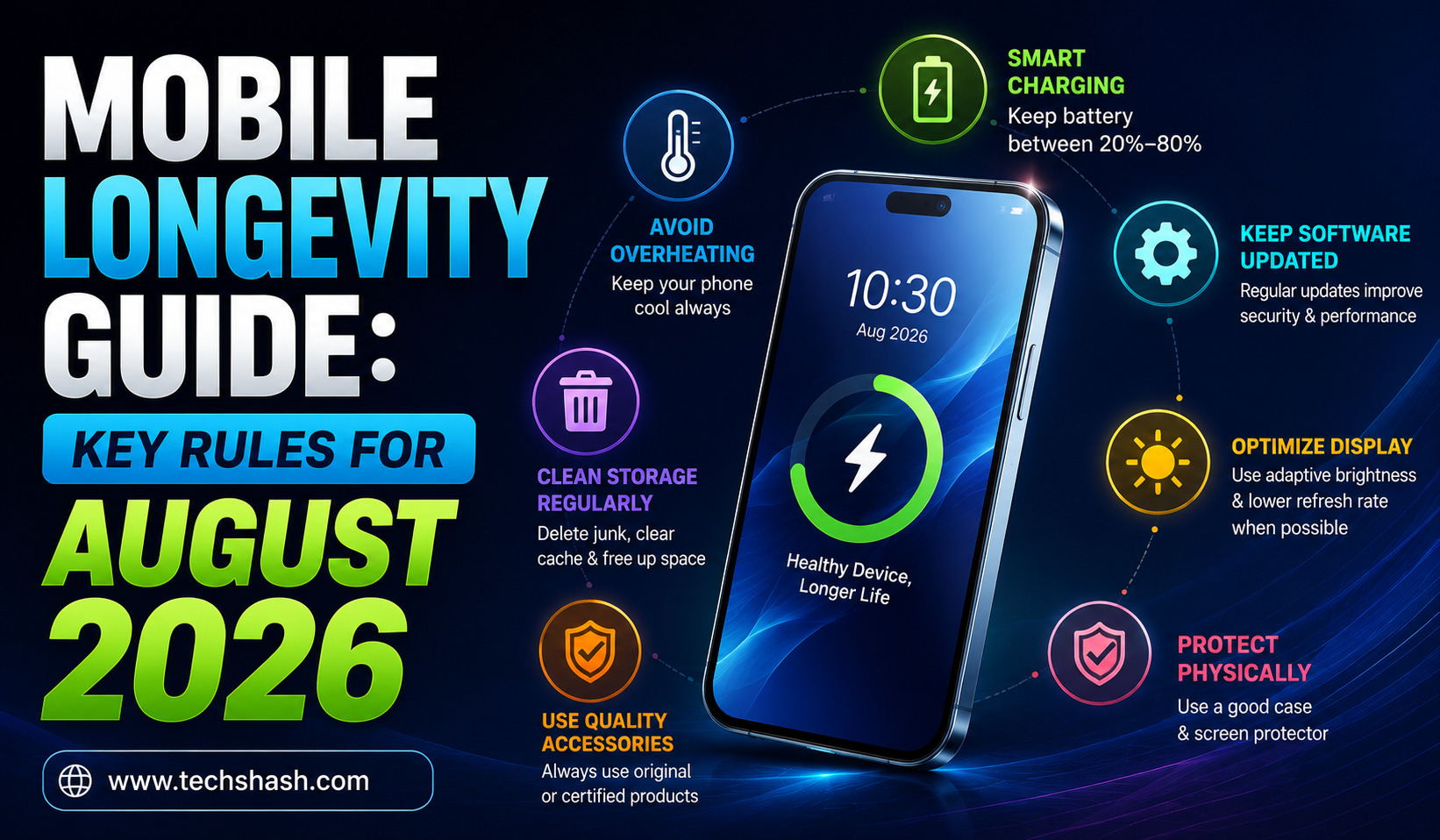

A decade ago, mobile phones became obsolete after two years simply due to rapid software upgrades and tiny batteries. Modern smartphones pack flagship-grade processors and high-capacity cells that are built to last half a decade when maintained properly. Following a disciplined mobile longevity guide allows users to maintain peak speed, battery capacity, and hardware responsiveness over many years. Preventing premature degradation requires dropping bad daily habits that silently degrade sensitive microcomponents.
System utilities, battery health settings, and charging protocols vary slightly across different Android skins and iOS versions. Readers should always check their specific device settings within official operating system menus. All maintenance recommendations and battery care guidelines in this guide reflect standards verified in August 2026.
Battery Charging and Health Protocols
Constantly charging a smartphone to maximum capacity subjects the internal battery cells to unnecessary voltage stress. Pushing high-voltage currents into a hot battery degrades lithium-ion chemistry far faster than regular daily drain cycles.
Core Guidelines
- Do: Enable built-in charge limits to stop charging at 80 percent automatically.
- Do: Keep the battery charge level between 20 percent and 80 percent for daily use.
- Do Not: Leave the smartphone charging under a pillow or on a soft mattress.
- Do Not: Let the battery drain completely to zero percent on a frequent basis.
Adopting these habits preserves chemical stability inside the power cell and prevents battery swelling over time. The smartphone remains reliable throughout long workdays without dropping voltage unexpectedly. Daily commuters and heavy phone users who depend on reliable battery life will benefit immediately.
Key Highlights
- Extension of battery lifespan from 500 charge cycles to over 1200 cycles
- Reduction of internal heat during overnight charging sessions
- Preservation of peak performance without sudden battery throttles
The Key Advantage
Operating a lithium-ion battery in its sweet spot reduces internal chemical stress significantly. Continually forcing energy into a full cell acts like overinflating a balloon every single day until the material stretches permanently. Restricting charge limits to eighty percent keeps the internal chemistry balanced and cool.
Who Should Follow This
Heavy smartphone users and remote workers who keep their devices connected to chargers for long periods should follow this rule. It protects total battery capacity over years of continuous use.
Thermal Management and Solar Exposure
High temperatures destroy lithium batteries and force phone processors to throttle clock speeds aggressively to prevent permanent damage. Leaving a phone on a sunny car dashboard creates extreme heat buildup that damages both display panels and internal circuit boards.
Core Guidelines
- Do: Remove heavy protective cases when playing graphics-heavy mobile games.
- Do: Keep the smartphone out of direct sunlight during hot summer afternoons.
- Do Not: Play demanding 3D games while connected to a fast charger.
- Do Not: Place the device on car dashboards or windowsill mounts in direct sun.
Keeping internal temperatures low protects the main system chip and display layers from heat-induced discoloration. The device maintains high frame rates and smooth touch response without warming up in your hand. Mobile gamers and rideshare drivers who mount their devices in vehicles need this thermal awareness.
Key Highlights
- Elimination of thermal throttling that causes stuttering in mobile games
- Prevention of display glue breakdown and OLED screen burn-in
- Protection of motherboard solder joints against heat expansion
The Key Advantage
Proactive thermal management prevents the silicon processor from cutting its own clock speed to cool down. When internal temperatures cross critical thresholds, the operating system drops screen brightness and slows processing to a crawl. Keeping air circulating around the device allows hardware to run at maximum speed without safety cutoffs.
Who Should Follow This
Rideshare drivers, delivery workers, and mobile gaming enthusiasts who operate their phones in hot environments must enforce these rules. It prevents sudden performance drops and hardware failures.
Storage and Background App Hygiene
Filling smartphone storage past ninety percent capacity severely degrades flash memory performance and causes systematic interface lag. Operating systems rely on free storage space to handle cache files, background processing, and seamless app switching.
Core Guidelines
- Do: Maintain at least 15 to 20 percent free internal storage space at all times.
- Do: Restrict unnecessary apps from running background refresh and location tracking.
- Do Not: Force close all recent apps constantly, as reopening them consumes extra power.
- Do Not: Install third-party task killer applications or unverified cleaning apps.
Maintaining free storage keeps application launches instant and prevents camera shutter delay when taking high-resolution photos. The user interface remains fluid without random freezing or missing notifications. Content creators and photo enthusiasts who capture large video files daily need to practice regular storage audits.
Key Highlights
- Faster write speeds for high-resolution video recording and app installs
- Extended operational life for flash memory microchips
- Reduced background RAM consumption for smoother multitasking
The Key Advantage
Solid-state flash memory requires empty blocks to write new data quickly during daily operations. When storage becomes packed, the memory controller must erase and reorganize old data before saving new files. Keeping twenty percent free capacity acts like leaving open aisles in a warehouse, allowing new inventory to move in instantly.
Who Should Follow This
Content creators, social media managers, and power users who store thousands of high-resolution photos and videos locally should implement this hygiene routine. It guarantees immediate system responsiveness.
Hardware Care and Port Maintenance
Physical wear on charging ports and display glass causes expensive hardware damage that software updates cannot fix. Accumulated pocket lint inside charging ports disrupts electrical contacts, leading users to assume their battery or charger has failed.
Core Guidelines
- Do: Clean pocket lint out of charging ports gently using a wooden toothpick.
- Do: Apply a high-quality tempered glass screen protector and shock-absorbing case.
- Do Not: Expose water-resistant phones to high-pressure water jets or salt water.
- Do Not: Use metal pins or paperclips to clean delicate charging port pins.
Proper physical protection absorbs drop impacts and ensures stable electrical connections whenever you plug in a charging cable. The device retains its structural integrity, trade-in value, and cosmetic condition over years of daily handling. Commuters and outdoor workers who carry their phones everywhere will avoid costly screen replacements.
Key Highlights
- Prevention of loose USB Type-C or Lightning cable connections
- Preservation of factory water-resistance seals against humidity
- Maintenance of maximum trade-in value for future smartphone upgrades
The Key Advantage
Regular port maintenance prevents false charging failures and port wear. Compacted pocket debris inside a USB port stops charging cables from seating flush against internal pins. Cleaning out lint safely restores full fast-charging capability without spending money on unnecessary repair bills.
Who Should Follow This
Outdoor workers, field professionals, and daily commuters who carry their smartphones in pockets or dusty tool bags should practice physical hardware care. It prevents accidental physical damage and connectivity issues.
FAQs
Does fast charging damage a mobile phone battery over time?
Fast charging does not inherently ruin a mobile phone battery because built-in power management chips control current flow safely. High heat generated during rapid charging is what damages chemical cells over time. Charging in a cool environment prevents thermal degradation during fast charging sessions.
Should mobile phone users close background apps to save battery?
Closing background apps constantly actually uses more battery power because the processor must cold-start the application from scratch when reopened. Modern operating systems freeze background apps efficiently in system memory without draining extra power. Users should only force close applications that are actively misbehaving or freezing.
How often should a smartphone be restarted for best performance?
Restarting a smartphone once a week flushes temporary system RAM and stops background process leaks that slow down performance. A quick reboot clears cached system glitches without deleting user data or settings. This simple habit keeps operating navigation fast and responsive.
Does dark mode actually improve battery life on smartphones?
Dark mode significantly improves battery life on smartphones equipped with OLED or AMOLED display screens. Because OLED displays turn off individual pixels completely to render black colors, dark mode reduces display power consumption substantially. Phones with older LCD screens will not see battery savings from dark mode.