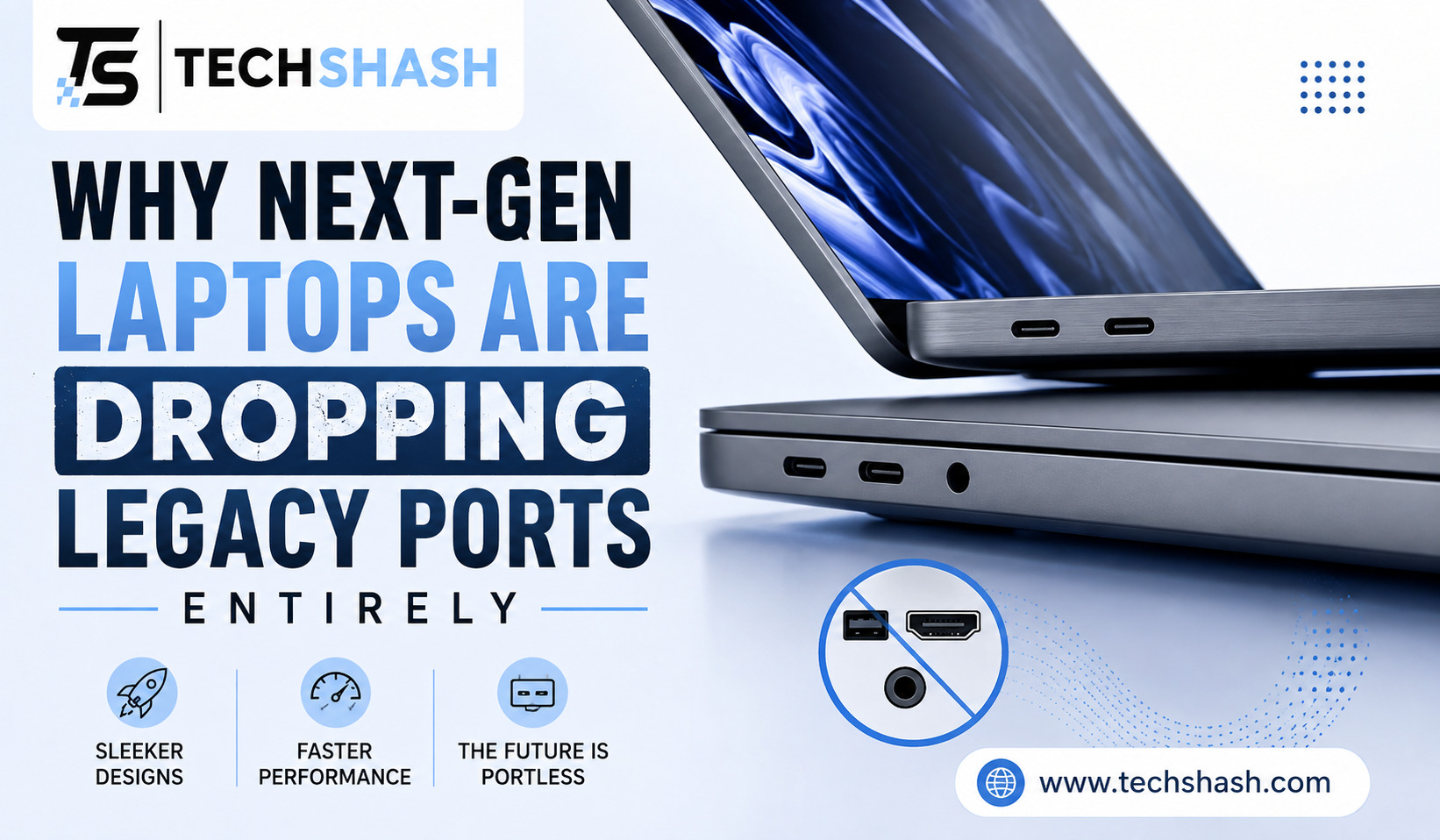
Many computer users feel surprised when opening a new computer box to find only two small oval slots. Older rectangular USB ports, memory card slots, and thick display connectors are rapidly disappearing from modern personal computers. You might wonder why next-gen laptops are dropping legacy ports entirely when so many older accessories still work perfectly well. This detailed article will explain the engineering reasons, consumer shifts, and technological upgrades driving this major industry trend.
1. The Push for Thinner and Lighter Laptop Designs
Computer hardware makers work constantly to make portable computers easier to carry around. Users want machines that fit easily into backpacks and briefcase bags without adding extra weight.
Older connections like Ethernet jacks, VGA connectors, and USB Type-A ports require physical thickness inside the computer chassis. An Ethernet port alone requires almost a full centimeter of vertical clearance. By removing these tall components, manufacturers can shrink computer frames down to just a few millimeters.
Physical Constraints of Older Hardware
Legacy connectors were designed decades ago when portable devices were much thicker. Mechanical parts inside those older plugs require rigid housings that take up valuable room inside the shell.
Modern buyers prefer sleek aluminum shells over bulky plastic frames. Removing tall ports allows designers to craft tapered edges and thinner display lids.
User Demand for Portability
Students and working professionals carry their computers everywhere throughout the day. A lighter device reduces shoulder strain during long commutes or trips across campus.
The shift toward ultra-portable devices has forced internal components to shrink. Every single millimeter saved on the outside frame counts as a major success for design teams.
When engineers eliminate larger ports, chassis thickness decreases dramatically across all price points.
- Smaller profiles make laptops easier to slide into tight sleeves.
- Lighter frames reduce overall carry weight for travel.
- Sleek edges create a clean visual appearance that consumers prefer.
2. The Universal Power of USB-C and Thunderbolt Technology
One modern cable standard can now handle tasks that previously required four or five separate cords. USB Type-C plugs offer reversible insertion, meaning you never have to guess which side is up when plugging in a device.
Thunderbolt technology uses this exact same oval shape while offering massive data speed improvements. A single tiny port can now carry power, high-definition video, and fast data signals at the exact same time.
Single Cable Solutions for Everything
In past years, you needed a power cord, an HDMI cable, and multiple data cables on your desk. Today, a single wire can connect your computer to an external monitor while charging the internal battery simultaneously.
High-speed transfer protocols allow external hard drives to send large video files in just a few seconds. That high bandwidth makes old USB ports feel very slow by comparison.
Reversible Connectors Simplify Daily Use
Older USB Type-A ports required correct orientation before insertion. People frequently tried to plug them in upside down, causing frustration or damaging internal pins.
Reversible oval shapes eliminate that hassle completely. You can insert the plug in either direction without looking.
The rapid adoption of universal cable standards has made carrying multiple unique wires unnecessary for modern users.
- Power delivery protocols supply fast charging through tiny ports.
- DisplayPort signals stream 4K video to multiple external monitors.
- PCIe data transfers allow connection to external graphic cards.
3. Why Next-Gen Laptops Are Dropping Legacy Ports Entirely for Battery Space
Batteries take up more internal volume than almost any other hardware component inside a modern laptop chassis. Users demand long battery performance that lasts through an entire workday without needing an outlet.
When you examine why next-gen laptops are dropping legacy ports entirely, internal layout constraints provide the clearest answer. Removing bulky plastic housings opens up valuable interior real estate for larger lithium polymer cells.
Internal Real Estate Optimization
Every port requires a dedicated spot on the main circuit board along with controller chips and shielding materials. Those extra chips take up space that could otherwise house energy storage.
Engineers must choose between keeping an old connector or adding an hour of battery life. In almost every market survey, consumers choose longer battery runtime over native legacy plugs.
Heat Dissipation and Circuit Board Layouts
Fewer physical openings in the side walls create a more solid structural frame. Solid side walls also help engineers direct cooling airflow more effectively over internal processors.
Smaller circuit boards leave more room for dual-fan cooling systems and copper heat pipes. Better cooling allows processors to run faster without overheating.
Prioritizing internal battery volume allows modern thin computers to run for fifteen hours or more on a single charge.
- Shorter circuit boards create space for wider battery blocks.
- Removal of internal port housings reduces overall weight.
- Stronger frame walls protect internal parts from bending damage.
4. How Wireless Connectivity Replaces Physical Cables
High-speed wireless internet and Bluetooth tools have changed how people transfer files between devices. Most everyday computer tasks no longer require plugging a physical wire into a side slot.
Cloud storage accounts automatically save documents to remote servers in real time. Wi-Fi networks in homes and offices now provide speeds that equal or exceed old wired connections.
Cloud Storage and Streaming Services
Users once relied on USB thumb drives to move photos and documents from one machine to another. Cloud services now sync files across devices instantly over the internet.
Streaming media has also removed the need for physical optical disc drives and storage cards. Video editor software can even stream large project files directly from remote networks.
Bluetooth and Wireless Peripherals
Modern computer mice, keyboards, and headphones connect through stable Bluetooth connections. You no longer need to plug small USB receivers into the side of your computer frame.
Wireless audio quality has improved so much that many audio companies are skipping traditional headphone jacks. Bluetooth pairing happens automatically as soon as devices power on.
The growth of high-bandwidth wireless networks makes physical cable connections optional for most everyday users.
- Wi-Fi 6 and Wi-Fi 7 standards deliver multi-gigabit wireless speeds.
- Automatic cloud syncing replaces flash drive file transfers.
- Bluetooth accessories keep desks free from cord clutter.
5. The Manufacturing Cost and Hardware Simplicity Advantage
Building computers with fewer distinct physical ports lowers production expenses for technology companies. Each unique connector type requires its own testing equipment, circuit traces, and assembly steps on factory lines.
Standardizing around one or two small port designs streamlines assembly work. Factory machines can produce thousands of identical mainboards much faster when component counts are lower.
Streamlined Assembly Lines
Installing different connector types on a single circuit board requires multiple soldering techniques. Standardizing on identical oval ports simplifies automated robotic assembly.
Fewer unique hardware parts mean supply chains become easier to manage during component shortages. Tech companies can order millions of identical parts at lower wholesale rates.
Reliability and Water Resistance
Fewer openings in the computer body reduce entry points for dust, crumbs, and liquid spills. Small debris inside an old HDMI port could easily cause electrical shorts.
Sealing the edges of a chassis with fewer cutouts improves overall durability. Fewer mechanical parts also mean fewer physical solder joints that can break over time.
Relying on a unified component architecture reduces hardware failure rates across long periods of ownership.
- Simpler circuit boards reduce manufacturing defects during assembly.
- Unified parts lower shipping weights for global product distribution.
- Fewer chassis cutouts reduce dust entry into cooling fans.
6. Living with Adapters and Dongles in a Transition Era
Moving away from older standards always creates temporary friction for users who own older accessories. People who still use HDMI monitors, SD cards, or traditional USB flash drives must rely on small conversion tools.
Multi-port hubs offer a convenient way to connect multiple devices through one main laptop port. You can leave a full hub sitting on your desk at home or work.
Choosing the Right Hubs and Docking Stations
Compact USB-C hubs add HDMI slots, memory readers, and traditional USB ports back to your setup. Buying one quality hub often solves all connection needs in a single purchase.
Desktop docking stations can even power high-resolution monitors while charging your computer battery simultaneously. Plugging in one main wire at your desk connects all your desktop accessories instantly.
The Gradual Shift Toward Native USB-C Accessories
Peripheral makers now produce flash drives, external SSDs, and printer cables that plug directly into modern oval ports. Older square plugs are gradually disappearing from store shelves worldwide.
As old gear wears out over time, users naturally replace it with modern cables. Within a few years, most people will no longer need conversion dongles at all.
Using multi-port expansion hubs bridges the gap between older hardware tools and modern thin computers easily.
- Compact travel hubs fit neatly into carrying cases.
- Desktop docks eliminate daily cable clutter on work surfaces.
- Modern flash drives feature dual connectors for easy file sharing.
Key Takeaways
- Design Focus: Computer makers prioritize ultra-thin frames and lighter weights over legacy physical connectors.
- Universal Standard: USB Type-C and Thunderbolt handle charging, display output, and fast data transfers through one tiny shape.
- Battery Life: Removing bulky port housings creates extra internal space for larger lithium batteries.
- Wireless Tech: Cloud syncing and Bluetooth connections reduce the daily need for physical cords.
- Transition Tools: Multi-port hubs allow older accessories to work smoothly with modern slim computers.
FAQs
Why do new laptops only have oval USB ports?
Manufacturers use oval USB-C ports because they are small, reversible, and capable of handling power, display, and high-speed data transfers through a single connection.
Can I still use my older USB flash drives on a new computer?
You can easily connect older USB flash drives by using an inexpensive USB-C to USB-A adapter or a multi-port hub.
Is removing legacy ports just a way for companies to make more money?
While selling adapters adds revenue, the primary reasons for removing ports are to make laptops thinner, lighter, and able to fit larger batteries inside the frame.
Will HDMI ports disappear from laptops entirely in the future?
Many thin consumer laptops have already removed full-sized HDMI ports, relying instead on USB-C connections to output video signals to external screens.
Does using a USB hub slow down file transfer speeds?
High-quality hubs using modern data standards will maintain fast transfer speeds without causing noticeable slowdowns for connected devices.
Conclusion
The evolution of modern personal computers clearly shows why next-gen laptops are dropping legacy ports entirely. Slimmer cases, larger internal batteries, and fast universal standards like Thunderbolt make older connections less practical for portable computing. Wireless networks and cloud services also reduce our daily reliance on physical cords. While carrying a small adapter can feel slightly inconvenient during this transition period, the benefits of longer battery life and lighter devices make the shift worth it for most computer users.