Introduction
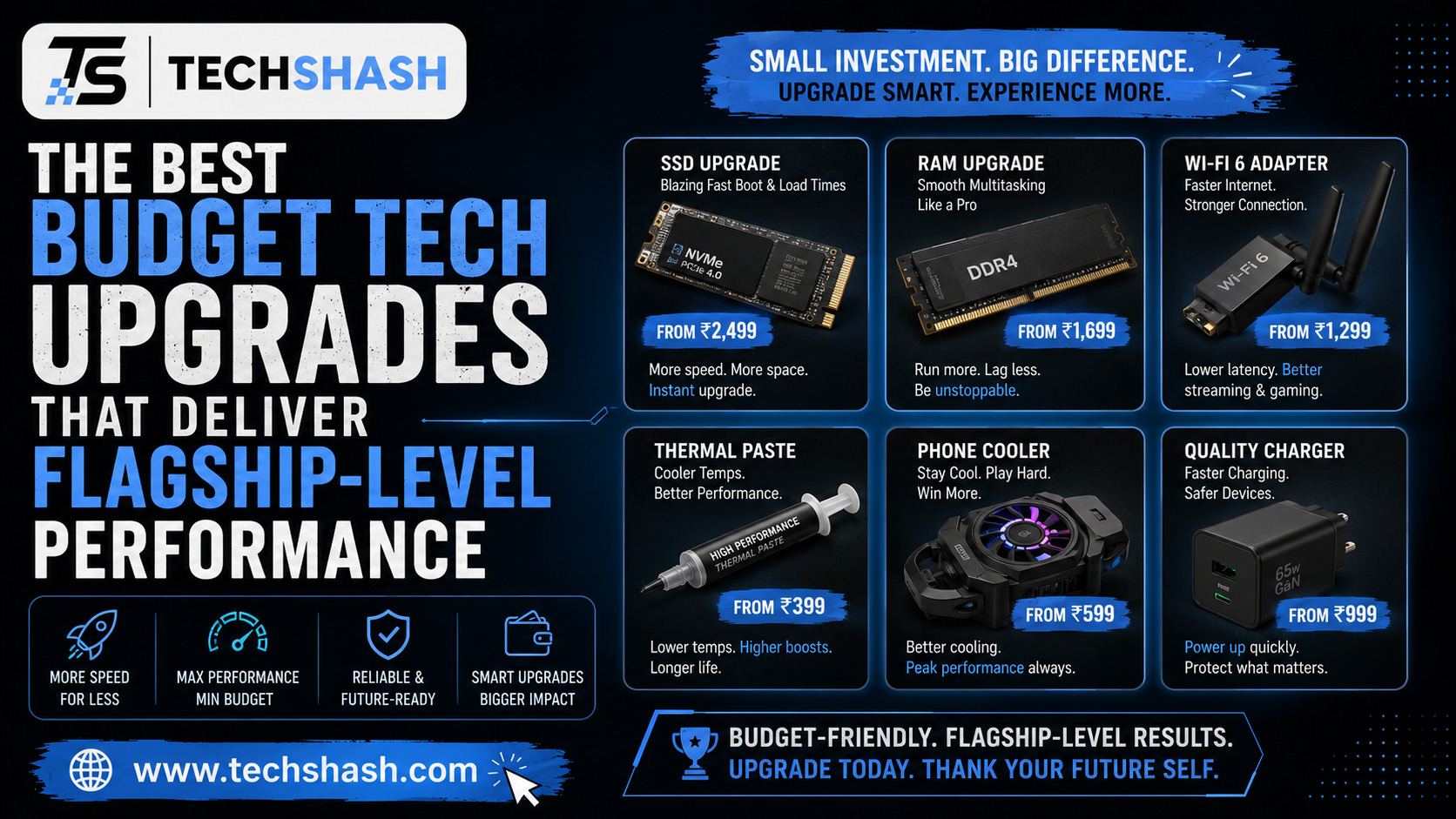
Technology prices continue to rise every single year. Many people assume that enjoying top-tier hardware requires spending thousands of dollars on expensive brand-name flagships. However, smart consumers know that budget tech upgrades can bridge the gap between affordable pricing and premium performance. You do not need to replace your entire computer setup or phone to experience a massive boost in speed and usability. This article will cover the best affordable hardware enhancements that deliver high-end results without emptying your bank account.
1. Understanding the Value of Modern Budget Tech Upgrades
Many buyers fall into the trap of believing that higher prices automatically mean better quality. The technology market offers countless affordable alternatives that match expensive models in daily tasks. Choosing cost-effective devices saves money while delivering nearly identical user satisfaction.
Why Price Does Not Equal Quality
Manufacturers often charge extra fees just for brand recognition and luxury packaging. Essential internal parts frequently come from the same factories regardless of the final price tag. Understanding this reality helps shoppers find hidden gems in the electronics market.
Identifying Your True Needs
Before purchasing any new equipment, you must evaluate your daily workflow. Pinpointing your exact bottlenecks prevents you from wasting money on features you will never use. Targeting specific hardware bottlenecks ensures every dollar spent yields maximum performance improvement.
2. Solid-State Drives for Speed and Responsiveness
Old mechanical hard drives create massive slowdowns in older computers. Upgrading to a solid-state drive transforms a sluggish machine into a fast workstation instantly. This single modification provides the most noticeable speed increase for the lowest financial investment.
Choosing the Right Drive Type
Solid-state drives come in different form factors, including standard 2.5-inch SATA drives and fast M.2 NVMe options. You must check your motherboard compatibility before making a purchase. Most modern computers support fast NVMe drives that load large files in seconds.
Installation and Data Transfer
Cloning your old operating system drive onto your new solid-state drive saves hours of reinstallation work. Free software tools make the migration process simple for everyday users. Faster boot times and quick application loading make old computers feel brand new again.
3. Mechanical Keyboards for Enhanced Typing and Productivity
Standard membrane keyboards feel mushy and cause finger fatigue during long typing sessions. Mechanical keyboards use individual switches for every single key, providing tactile feedback and precise actuation. This hardware upgrade improves both typing speed and long-term comfort.
Understanding Switch Types
Mechanical switches are categorized by their tactile, clicky, or linear characteristics. Red switches offer smooth linear presses, while blue switches provide an audible click with every keystroke. Brown switches offer a middle ground with a subtle tactile bump.
Finding Affordable Options
You do not need to spend hundreds of dollars on custom enthusiast keyboards to enjoy mechanical typing. Many budget brands offer hot-swappable switches and durable aluminum frames at a fraction of the cost. Comfortable mechanical keyboards reduce wrist strain and make typing an enjoyable daily experience.
4. High-Refresh-Rate Monitors for Smoother Visuals
Many computer users still rely on basic sixty-hertz monitors that limit visual smoothness. Upgrading to a high-refresh-rate display makes cursor movement, window dragging, and scrolling look exceptionally fluid. This change reduces eye strain and improves overall digital navigation.
Refresh Rates Explained
A refresh rate measures how many times per second the display updates with new images. While sixty hertz is standard, modern budget monitors easily reach one hundred forty-four hertz or higher. This difference becomes immediately noticeable the moment you move your mouse across the desktop.
Panel Technology Choices
Budget monitors typically use IPS panels or VA panels for vibrant colors and wide viewing angles. IPS panels provide the best color accuracy for creative work and media consumption. Upgrading your display refresh rate delivers an elite visual experience without premium pricing.
5. Noise-Canceling Wireless Earbuds for Immersive Audio
Expensive audio brands often charge excessive markups for basic wireless earbuds. Recent advancements in audio engineering mean budget earbuds now deliver incredible sound quality and effective noise cancellation. You can enjoy rich music and clear phone calls without paying luxury prices.
Key Features to Look For
Active noise cancellation blocks out distracting background sounds during your daily commute. Bluetooth five point zero or newer ensures a stable connection with minimal audio delay. Battery life is another crucial factor, with most budget models offering over twenty hours of total playback using the charging case.
Sound Tuning and Fit
Proper ear tip sizing ensures a secure fit and improves bass response significantly. Many budget earbuds also feature companion smartphone applications for custom equalizer adjustments. Reliable active noise cancellation transforms noisy environments into quiet personal workspaces.
6. External DACs and Amplifiers for Superior Sound Quality
Standard computer and smartphone headphone jacks often produce weak audio signals with background hiss. An external digital-to-analog converter and headphone amplifier bypasses internal computer hardware to deliver clean sound. This small device unlocks the true potential of your favorite headphones.
How External Audio Gear Works
Digital audio files must be converted into analog signals before your headphones can play them. Internal motherboard audio chips suffer from electrical interference inside the computer case. External units isolate this conversion process to ensure pure audio clarity.
Powering Demanding Headphones
Higher-end headphones require more electrical power than standard devices can provide. A dedicated budget amplifier supplies the necessary voltage for rich, dynamic sound reproduction. Clean audio conversion hardware reveals hidden details in your favorite music tracks.
7. Wi-Fi Routers for Better Connectivity and Speed
Internet service providers often supply basic routers that struggle to cover an entire home. Upgrading to a modern standalone Wi-Fi router improves connection stability, range, and network speed. This upgrade benefits every connected device in your household simultaneously.
The Advantage of Modern Standards
Older routers slow down when multiple family members stream video or play games at the same time. Modern routers utilize advanced bandwidth management to distribute internet traffic efficiently. Stable wireless network coverage eliminates frustrating lag spikes and connection drops.
Strategic Placement Tips
Placing your router in a central, open location maximizes signal reach throughout your home. Avoiding physical obstructions like thick concrete walls prevents unnecessary signal degradation. Proper placement costs nothing and improves network performance instantly.
8. Portable Power Banks for Reliable On-the-Go Charging
Modern smartphones and tablets drain their batteries quickly during heavy daily use. A high-capacity portable power bank ensures your essential devices never run out of power away from home. This affordable accessory provides peace of mind during long travel days.
Capacity and Charging Speed
Power banks are measured in milliamp-hours, with ten thousand milliamp-hours being a great balance of size and capacity. Fast-charging protocols like USB Power Delivery allow you to replenish your phone battery in less than an hour. High-capacity portable charging solutions keep your devices alive throughout busy days.
Safety and Portability Features
Quality budget power banks include built-in protection against overheating and short circuits. Compact designs slip easily into a pocket or small backpack without adding excessive weight. Reliability is essential when choosing a backup power source.
Key Takeaways Box
- Primary performance boost: Upgrading to a solid-state drive provides the most dramatic speed increase for older computers.
- Visual fluidity: High-refresh-rate monitors eliminate motion blur and reduce eye strain during daily tasks.
- Audio clarity: Affordable external digital-to-analog converters transform standard headphone performance into a premium experience.
- Network stability: Modern standalone Wi-Fi routers solve connection drops and improve speeds across all household devices.
- Ergonomic comfort: Mechanical keyboards improve typing speed while reducing physical fatigue during long work sessions.
FAQs
What is the single best budget tech upgrade for an older computer?
Replacing a traditional mechanical hard drive with a solid-state drive delivers the most noticeable performance improvement.
Do inexpensive wireless earbuds sound good?
Modern budget earbuds offer impressive sound clarity and effective noise cancellation that rival expensive flagship models.
How does a high-refresh-rate monitor help productivity?
Higher refresh rates make cursor movement and window scrolling look smoother, which reduces visual fatigue during long work sessions.
Why should I buy an external digital-to-analog converter?
External converters bypass internal computer interference to provide clean, detailed audio to your headphones.
Are budget mechanical keyboards durable for daily work?
Budget mechanical keyboards use reliable individual switches that offer excellent longevity and tactile typing feedback.
Conclusion
Upgrading your technology does not require spending excessive amounts of money on expensive flagship devices. By focusing on high-value hardware enhancements like solid-state drives, mechanical keyboards, and modern routers, you can achieve flagship-level performance on a strict budget. Making informed purchasing decisions allows you to build a fast, reliable, and comfortable tech setup without unnecessary financial stress.